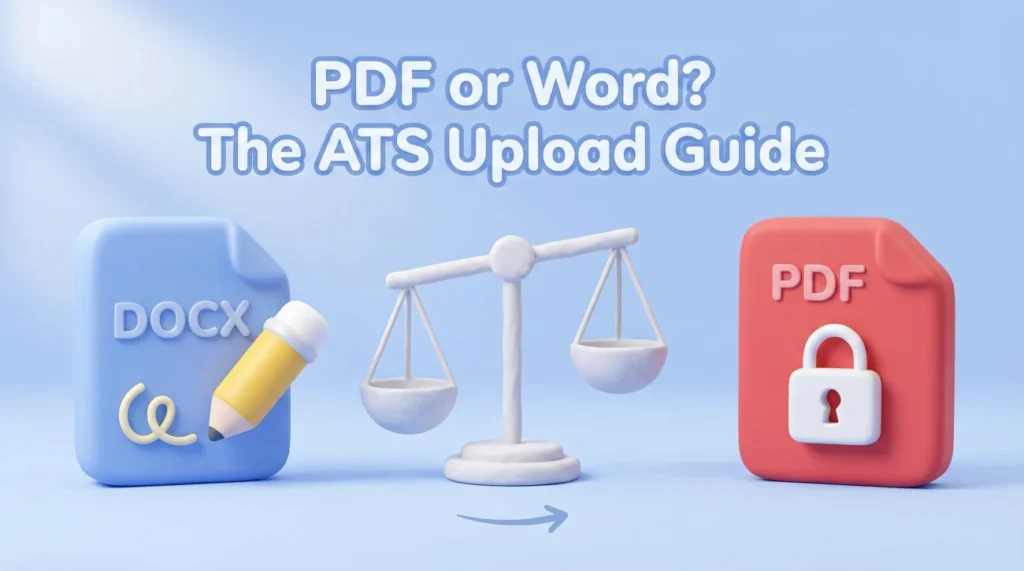
- If the application portal tries to auto-fill fields from your resume, DOCX is usually the safer upload.
- If a human will read it directly (email, referral, recruiter DM), a clean text-based PDF is often the safer presentation.
- The real enemy is not “PDF vs Word”. It is hidden structure: headers, tables, columns, and PDFs without a reliable text layer.
Why “PDF or Word” Is Still a Resume Problem (Even in 2026)
I keep seeing candidates blame “the ATS” like it’s one single machine with one single opinion. But what breaks resumes most often is simpler: you uploaded a file that looked perfect on your screen, and the system tried to turn it into plain text, then guessed where your name, title, dates, and bullets belong.
The annoying part: two companies can both say “we use an ATS” and still behave very differently. One portal reads PDFs beautifully. Another one stumbles over the same PDF and dumps your job titles into the address field. You do not feel rejected. You feel invisible.
So this guide is not going to argue “PDF always” or “DOCX always.” It’s a decision guide based on risk. The goal is to pick the file type that gives you the cleanest first impression in the system you are actually applying through.
And yes, I’m going to say the main thing out loud: pdf or word for ATS is not a style preference. It’s a conversion problem.
The Moment That Decides It: The Parsing Screen
If you’ve ever uploaded a resume and immediately got a screen that says something like “Review your information,” you’ve seen the moment I mean. The portal tries to extract your details and asks you to confirm. That screen is not just busywork. It is your early warning system.
What does the parsing screen tell you about file choice?
It tells you what the system struggles with. If you upload a PDF and the fields come out scrambled, you just learned something valuable: this portal is touchy with PDFs. If you upload a DOCX and the mapping is clean, you’ve reduced risk without changing a single word in your resume.
| What you see in the portal | What it usually means | Safer next upload |
|---|---|---|
| Autofill maps your jobs and dates cleanly | Parser is handling your structure well | Keep that file type for this portal |
| Your name appears in the “Company” field | Header layout or PDF structure is confusing the parser | Try DOCX, remove header footer, simplify top section |
| Bullets become one long paragraph | Hidden formatting or unusual bullet symbols | DOCX or a simpler PDF export with standard bullets |
| Dates disappear or turn into random characters | Fonts or text layer issues | DOCX first, then rebuild PDF from the clean source |
| Everything looks fine but spacing is odd | Minor formatting translation | Either is acceptable, focus on consistency |
One recruiter I worked with said it in the most blunt way during an internal debrief. I saved it because it’s the truth most candidates never hear:
“If your upload turns into a messy profile, you don’t look unqualified. You look like you didn’t check.”
That is why file type is not a tiny detail. It changes the version of you the company sees inside their system.
Decision Rules: When DOCX Is Safer vs When PDF Is Fine
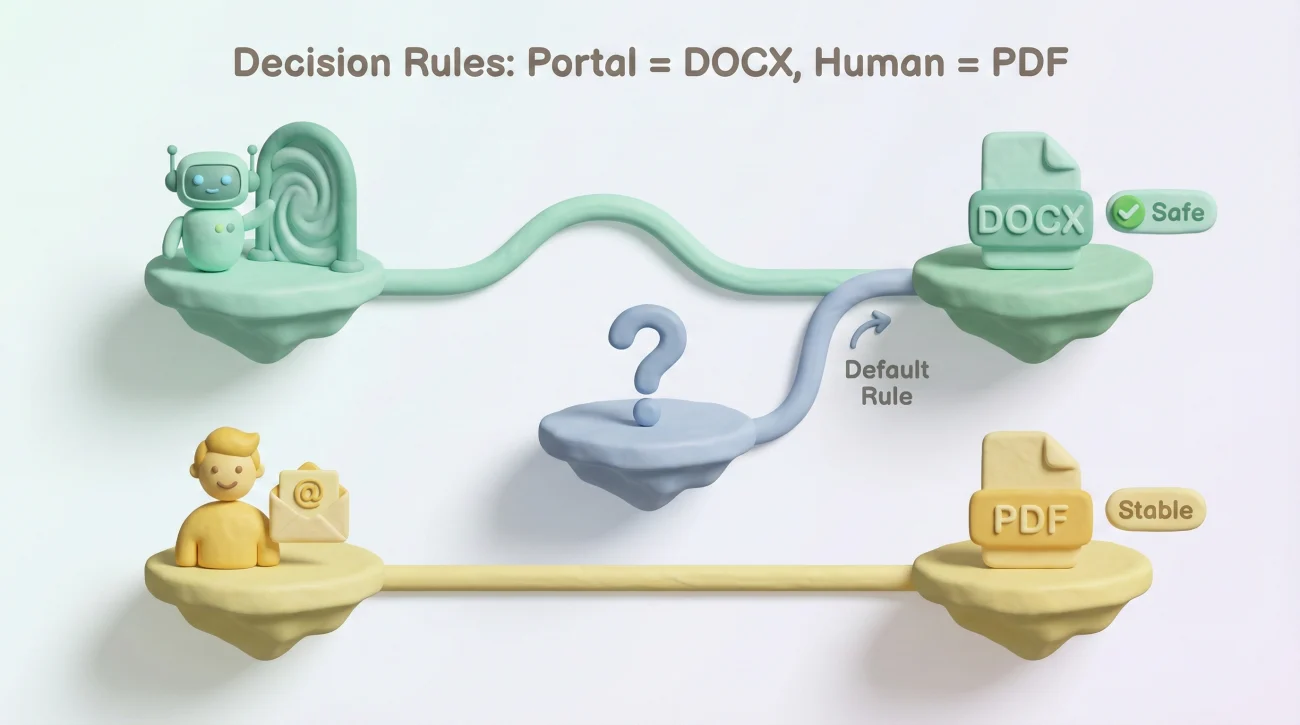
Rule set 1: The portal is the judge, not your design
If you are applying through a portal that builds a candidate profile from your upload, you are dealing with a parser-first workflow. In that workflow, DOCX tends to be safer because it is closer to the “native language” many parsers were built around.
In plain terms: if the system tries to turn your resume into form fields, give it the cleanest input.
- Choose DOCX when the application says “upload your resume to autofill” or forces a “review your information” step.
- Choose DOCX when you already had messy mapping in the past on similar portals.
- Choose DOCX when you used tables, columns, or a heavy header and you cannot quickly rebuild today.
Rule set 2: A human reader cares about stability and readability
If you are emailing a recruiter, getting referred, or handing a resume to a hiring manager after a call, the “parser risk” drops and the “presentation risk” rises. This is where PDF usually wins, because it locks your layout.
I’ve seen a colleague’s DOCX open with different default fonts and suddenly the resume looked like it had been chewed. Same content, worse impression. That kind of damage is silent and unfair.
- Choose PDF when you send your resume directly to a person who will open it like a document.
- Choose PDF when you have links (portfolio, GitHub) and you want them to look intentional and clean.
- Choose PDF when the job post explicitly requests PDF.
Rule set 3: When it is a tie, pick the file that reduces the biggest risk
Most candidates want a universal answer. The closest thing to a universal answer is a risk formula:
[Portal behavior] + [Audience] + [Resume structure] = safest upload
If you do not know the portal’s behavior, treat it like parser-first and start with DOCX. If you know it goes to a person, use PDF. If you know it supports both reliably, then pick the one that best matches the channel.
💡 Pro Tip: If the portal allows multiple attachments, you can upload both. Use DOCX as “Resume” and PDF as “Additional document” only if the portal labels make sense.
Real Scenarios (The Ones Candidates Actually Get Stuck On)
Scenario: “Workday made me retype everything, so PDF must be bad”
I’ve heard this exact frustration from candidates more times than I can count. One candidate, Mandy, was applying to mid-sized companies and thought she was doing something wrong because every Workday-style portal turned her elegant PDF into chaos.
When she switched to a simple DOCX, the mapping cleaned up instantly. Nothing about her experience changed. Only the file container did. That is why file type is a workflow decision, not a personal branding decision.
The takeaway: if the portal forces a mapping review and your PDF is messy, do not debate aesthetics. Use the file type that makes the mapping sane.
Scenario: “A referral asked for my resume, and I’m overthinking the format”
A friend of mine in HR forwarded a referred candidate’s resume internally. The candidate sent DOCX. The hiring manager opened it on a locked-down corporate machine. The document opened, but the spacing broke and the bullets shifted. The manager didn’t reject them for it, but their first comment was: “This looks unfinished.”
That is the kind of impression you never get to correct.
If a real person is forwarding your resume, PDF is usually the safer “final copy” signal. It reads like a finished document, not a draft.
Scenario: “My resume is designed, and I’m scared DOCX will ruin it”
If your resume relies on layout tricks to look good, you’re already living dangerously for parsing. The answer is not to gamble harder with PDF. The answer is to separate content from decoration.
Create a clean, structure-first version that you can upload anywhere. Then keep a prettier PDF for direct human sharing. Think of it like having a “submission version” and a “presentation version.” Same story, different packaging.
⚠️ Warning: If your PDF is actually an image (exported like a poster), you are essentially uploading a photo. Many systems will not reliably extract text from it.
Pitfalls That Make Good Resumes Look Broken in ATS
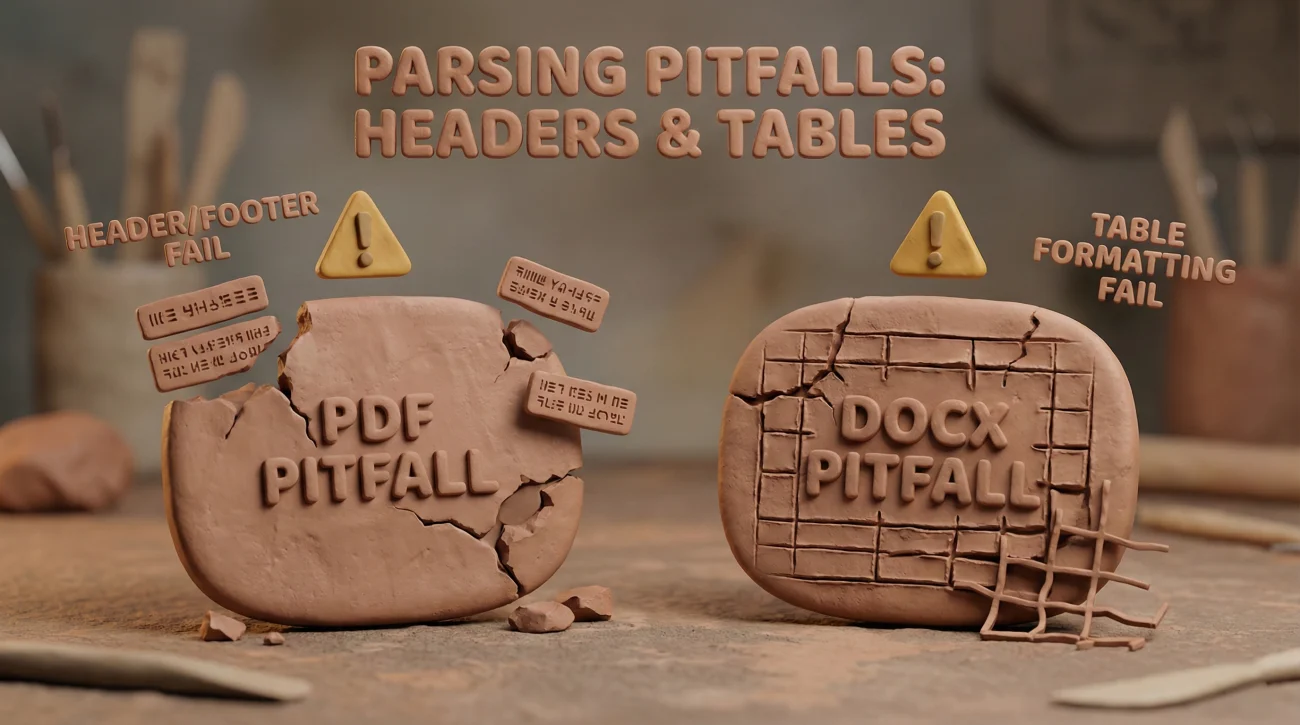
PDF pitfalls (what quietly kills parsing)
PDFs are not automatically bad. Bad PDFs are bad. The most common parsing failures happen when the PDF’s text layer is unreliable or when the layout is built like a magazine.
- Header and footer text (your name and contact info floating outside the body text flow).
- Two-column layouts where the parser reads across columns in the wrong order.
- Text inside shapes or icons, especially if it is treated like an image.
- Unusual fonts that render nicely but export strangely.
- Hyperlinks that look fine but break line structure when extracted.
DOCX pitfalls (what makes it look like a draft)
DOCX is usually easier to parse, but it can introduce its own problems. The biggest issue is not parsing. It’s perception and compatibility.
- Tracked changes or comments accidentally left on.
- Odd spacing due to different default fonts on the reader’s machine.
- Tables used to align dates and locations.
- Overly complex styles (custom bullets, weird indentation rules).
One candidate I coached, Myles, had a strong background but kept getting strange results from portals. His content was fine. The problem was his formatting strategy: he used tables for alignment everywhere. Once he rebuilt the structure using simple headings and standard bullets, both PDF and DOCX behaved better.
A Practical Two-File Setup (So You Stop Guessing)
If you want the simplest system that works across most modern hiring workflows, keep two versions that mirror each other in content:
What to keep
- A clean DOCX that is built for parsing and portals.
- A clean PDF exported from that DOCX that is built for human reading.
The 30-second test before you upload
Before you attach any file to any application, do a quick sanity check:
- Open the file and copy a full role section.
- Paste into a plain text editor.
- If the order is wrong or the spacing becomes nonsense, the parser may struggle too.
File naming that looks professional, not messy
Keep the naming clean and consistent. You are not trying to impress anyone with creativity here.
Firstname_Lastname_Resume.docx
Firstname_Lastname_Resume.pdf
It is boring on purpose. Boring removes friction.
Final
If you remember one thing, remember this: you are not choosing a “better” format in the abstract. You are choosing the safest format for the exact channel you’re using. Portals that build profiles usually reward a clean DOCX. Humans usually reward a clean PDF.
When you treat pdf or word for ATS like a risk decision instead of a debate, the choice gets calmer. You upload the version that maps cleanly, reads cleanly, and lets your experience do the talking.
❓ FAQ
✅ Should I always submit DOCX to be ATS safe?
No. DOCX is often safer for parsing in portal workflows, but if a human is reading your resume directly, PDF can be the safer “final copy” signal.
📌 If the job post says “PDF preferred,” can I still upload DOCX?
If they explicitly request PDF, follow the request. If they do not specify, use the portal behavior as your guide. Autofill and mapping screens often point toward DOCX.
🧩 What makes a PDF “ATS friendly”?
A text-based PDF with simple structure. Avoid image-only exports, heavy headers, tables for alignment, and multi-column layouts that change reading order.
🛠️ The portal mangled my upload. What should I change first?
Change the file type first. If PDF maps poorly, try DOCX. Then simplify structure: move contact info into the body, remove tables, keep headings standard, and use normal bullets.
🔒 Is it risky to send DOCX because it is editable?
For direct human sharing, yes, it can feel like a draft and it can open differently on different machines. That’s why a two-file setup helps: DOCX for portals, PDF for people.
⚠️ Disclaimer: ResumeSolving provides resume, cover letter, job search communication, and career transition guidance for informational purposes only. Hiring practices vary by employer, role, location, industry, and individual circumstances. We do not guarantee interviews, job offers, ATS results, or other outcomes. Verify employer requirements directly and follow applicable laws and workplace policies. For sensitive situations, use only information you are comfortable disclosing and keep all statements accurate.