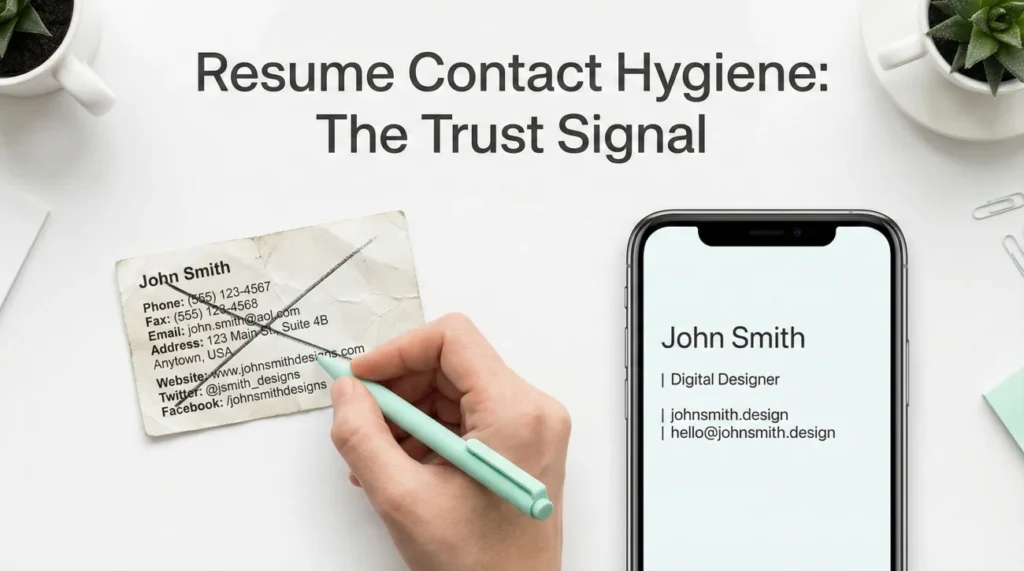
- Your email and contact line is a credibility shortcut: It can quietly signal “current” or “out of touch” before anyone reads your bullets.
- Most “unprofessional” signals are fixable in five minutes: Strip extra numbers, avoid family mailboxes, remove birth-year patterns, and make the handle readable.
- Use a simple pattern that scales: One email, one phone, one location line, and optional links only if they look maintained.
Why recruiters read your email line like a timestamp
I have watched strong candidates lose momentum for reasons they never suspect. Not because their experience was weak, but because their contact line quietly told a story they did not mean to tell.
In modern screening, the top of your resume is not “admin.” It is a quick trust test. And the main test here is resume email address professionalism: Does your email look like someone who works in today’s tools, today’s norms, and today’s pace.
One of my former candidates, Gabriela, used gabriela.adams1969@ for years because it was easy to remember. She had great leadership experience, but she kept getting radio silence on roles that should have been a fit. When we changed only the contact line and tightened the header, she started getting replies again. No magic, just fewer “old habits” signals.
This guide is not about pretending to be someone else. It is about removing accidental friction that makes people hesitate.
Email patterns that quietly trigger “This person is out of touch”
Most articles say: “Use firstname.lastname.” True, but incomplete. Recruiters are reacting to patterns that feel outdated, overly casual, or strangely complicated.
| Signal | What it implies | Fix that keeps you honest |
|---|---|---|
| Birth year in the handle (ex: name1984) | Unnecessary age anchor and “old account” vibe | Remove the year, use a middle initial, or add a role-neutral word |
| Many numbers (ex: name472915) | Looks auto-generated or spammy | Limit to 0 to 2 digits max, only if it reads naturally |
| Family mailbox (ex: thewilsonfamily@) | Blurry boundaries, not individually owned | Create a personal mailbox you control, even if you forward it |
| Nickname energy (ex: rockstar, lilboss, cutie) | Casual tone mismatch for most roles | Use real name patterns, keep it boring on purpose |
| Old provider stigma (AOL/Hotmail style perception) | People may assume low digital fluency | Switch to a mainstream provider or a clean personal domain |
| Underscores everywhere (ex: first_last_job_ready) | Clutter, hard to read on mobile | Prefer dots, or one underscore only if needed |
💡 Pro Tip: You are not being judged for your life. You are being judged for how much effort you put into small professional hygiene. That is what the contact line signals.
The fastest way to spot an “unprofessional” email
Here is the quick test I use in resume reviews. If your email looks like it was created for a forum, a gaming account, or a shared household inbox, it can read as unprofessional email resume even if you are extremely capable.
The goal is not perfection. The goal is: Clean, readable, and obviously owned by you.
A professional email formula that works in real screening
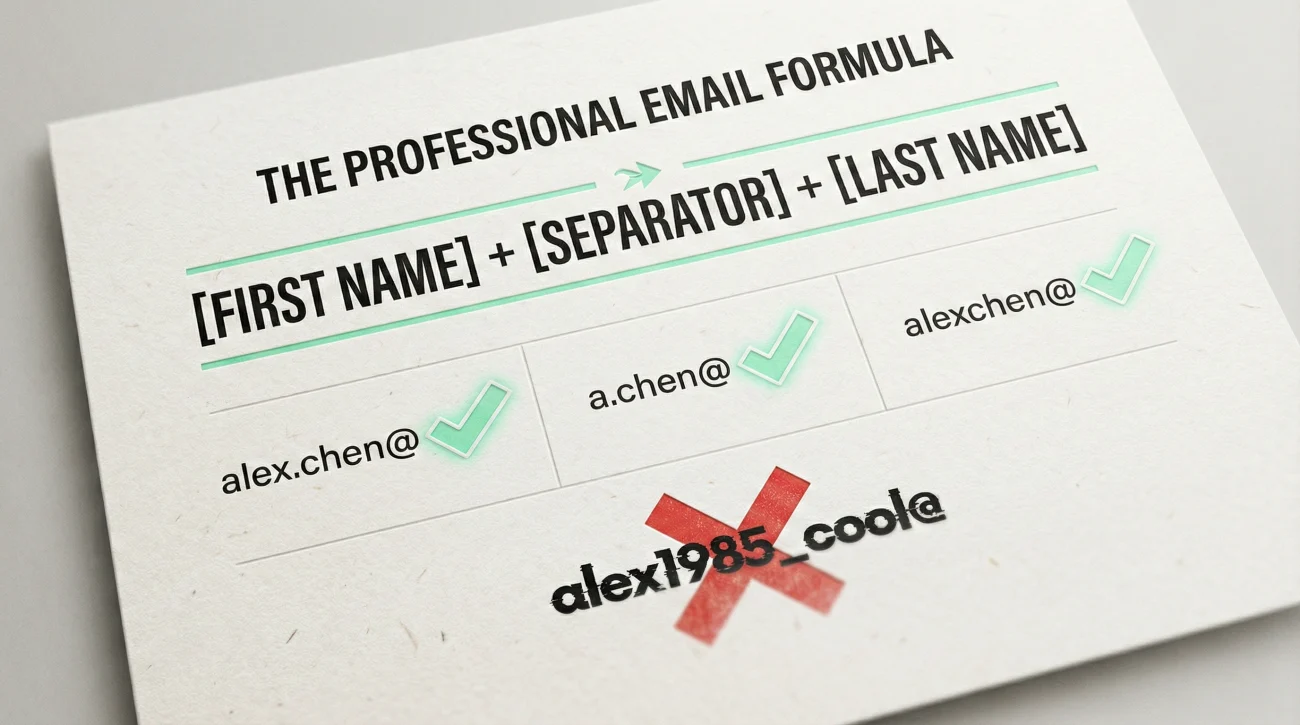
When candidates ask me what to use, I keep it simple. You want something a recruiter can type once without second guessing.
[First] + [Separator] + [Last] (+ optional middle initial)
Examples that look current without trying too hard
⚠️ Warning: If you add a role word (pm, ops, design), keep it neutral. Avoid “guru”, “ninja”, “legend”, or anything that forces a vibe.
What if your name is taken
This is where people panic and add a random pile of digits. You do not need to. You need a second identifier that still reads human.
- Use a middle initial: alex.m.chen
- Use a short location hint that is not your full address: alex.chen.sea
- Use a function hint if it matches your target roles: alex.chen.finance
- Use one digit only if it reads like a version, not a code: alex.chen2
One colleague of mine, Marcus, had the classic problem: His name was extremely common, so every clean handle was taken. He was using marcus1980@ and hated it. We moved him to a middle-initial pattern with a simple dot separator. The difference was not “branding.” It was that nobody got distracted by the contact line anymore.
Contact details beyond email that make you look dated
Email is the headline, but the rest of your header can add friction too. I call these “quiet age signals” because they often come from older resume habits, not from your actual ability.
A modern contact header should be boring
For most roles, the best header is: Name, city and state, phone, email. Optional: One link if it is maintained.
That is it. Anything extra should earn its place.
| Outdated habit | Why it hurts | Modern alternative |
|---|---|---|
| Full home address | Too much detail, can trigger bias | City, State (or City, Country) |
| Two phone numbers | Looks messy, “hard to reach” signal | One reliable number only |
| “References available upon request” | Wasted space, dated convention | Remove it entirely |
| Unformatted international number | Hard to dial, easy to mistype | Use country code with spacing (ex: +1 555 123 4567) |
| A link that looks abandoned | Signals “not maintained” | Only include if updated and clean to read |
❌ Note: A sloppy voicemail greeting can undo a clean header. If your greeting is a joke or hard to understand, fix it before you apply. It is part of the same trust layer.
Where people go wrong with the email line specifically
These are the three mistakes I see most in audits:
- 📌 Using an email you would not say out loud in a meeting.
- 📌 Using a shared mailbox, then missing recruiter messages because someone else filters it.
- 📌 Using a handle that is hard to read on mobile, even if it is technically “fine.”
And yes, this includes the classic: email address on resume that has a long string of symbols or inside jokes. You might not mean anything by it. A recruiter still reads it as friction.
A five-minute rewrite kit you can copy
If you want something practical, here are clean before and after examples. I use these patterns when I edit resumes for candidates who are strong but keep getting “soft no” signals.
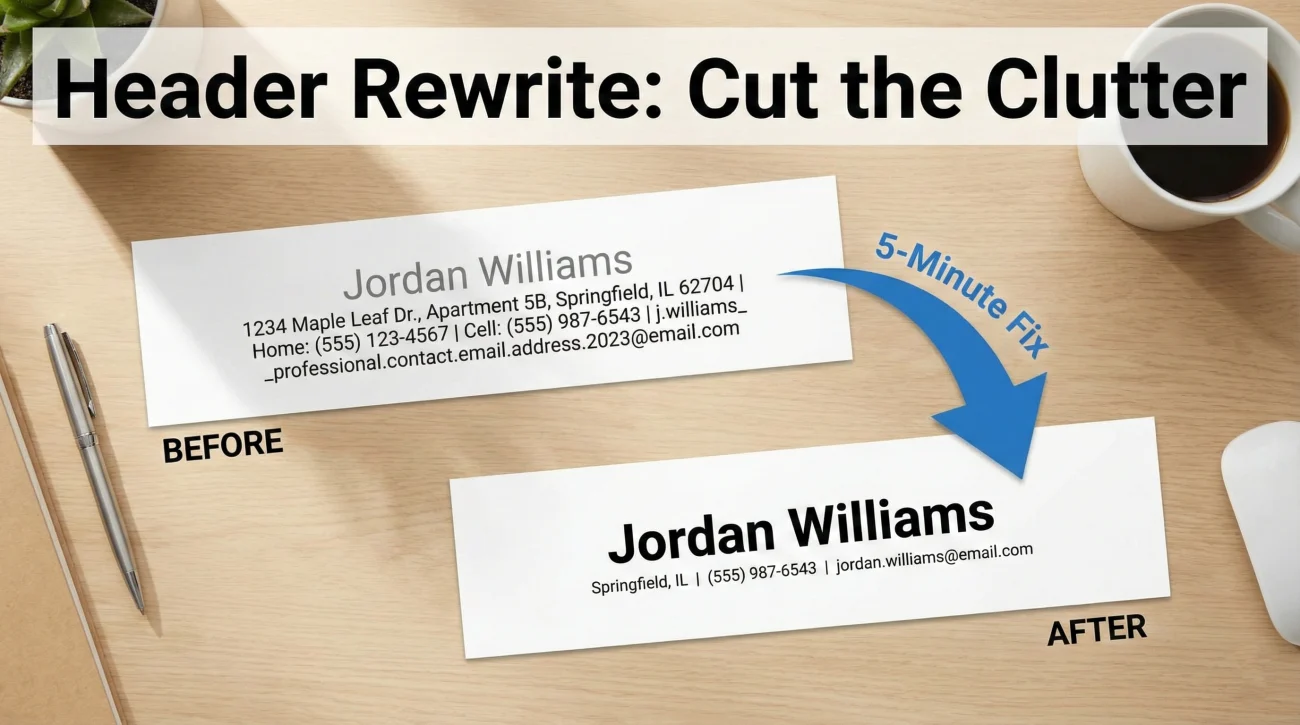
Before and after: Resume header
Jordan Williams
742 Evergreen Terrace, Springfield, IL 62704
Home: 217-555-0101 | Cell: 217-555-0199
[email protected]
Before and after: Common-name email fix
[email protected]
One more quick story, because this is real life. Scarlett was applying for client-facing roles and her header looked “busy”: two emails, a personal blog link last updated years ago, and a phone number that sometimes went to voicemail with a muffled greeting. She thought none of that mattered. Recruiters did not say it out loud, they just moved on. We simplified it to one email, one phone, and removed the abandoned link. Her response rate improved immediately.
Final: Make the top of your resume feel current
Most hiring teams will never tell you they hesitated because of your email handle or your cluttered header. They just quietly assume you might be slower to adapt, harder to reach, or less current than the role needs.
The fix is not “look younger.” The fix is “look maintained.” If you do nothing else today, make your email readable, remove unnecessary numbers, use one phone number, and keep your location simple. That is what modern screening expects.
If you want the broader framework behind these signals, it sits inside resume email address professionalism as part of modern context screening: Small cues that reduce doubt before your experience even gets a fair read.
You worked too hard to let a 10-second first impression trip you up.
❓ FAQ
🎯 Is Gmail always better than other providers?
Not always. The real goal is: A mainstream provider people trust, plus a clean handle that reads like a professional identity. If your provider creates doubt in the reader’s mind, switching removes that friction.
🔎 Should I use a personal domain email?
You can, and it can look polished, but only if it is simple and easy to type. If the domain is clever or long, it can backfire. A clean mainstream email is usually enough.
🧩 What if my name is very common and everything is taken?
Use a middle initial first. If that fails, add one short role-neutral word or one digit. Avoid long number strings because they look auto-generated and are easy to mistype.
📌 Should I include two emails, just in case?
No. Two emails creates a “hard to reach” signal. Pick one that you check daily and make it the only one on the resume.
☎️ Do I need my full street address on a resume?
In most cases, no. City and state is enough for context. Full addresses add detail without improving your chances.
⚠️ Disclaimer: ResumeSolving provides resume, cover letter, job search communication, and career transition guidance for informational purposes only. Hiring practices vary by employer, role, location, industry, and individual circumstances. We do not guarantee interviews, job offers, ATS results, or other outcomes. Verify employer requirements directly and follow applicable laws and workplace policies. For sensitive situations, use only information you are comfortable disclosing and keep all statements accurate.