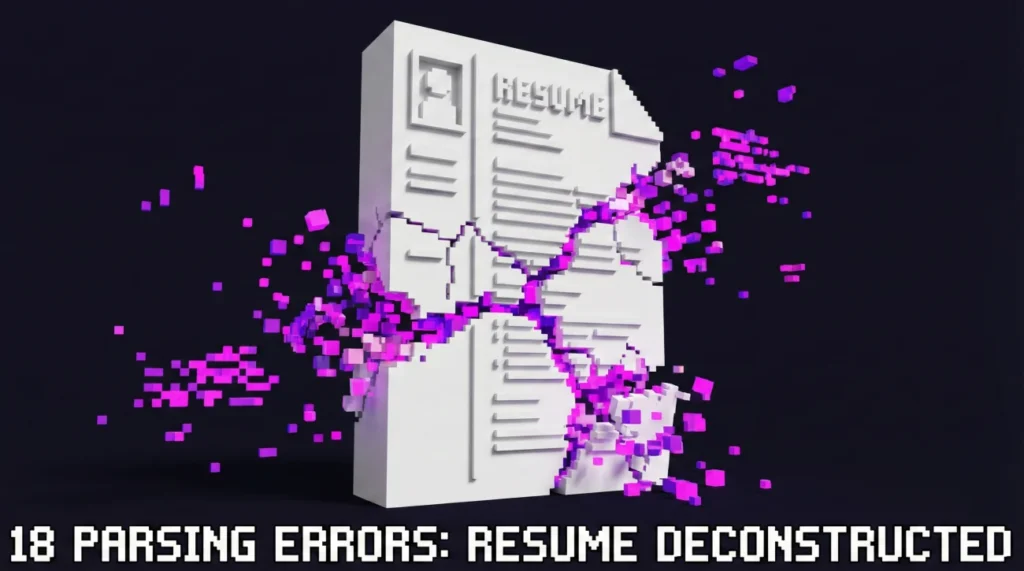
- Most “ATS failures” are simple parsing problems: Your content exists, but the system imports it in the wrong order.
- Use the 18 mistakes list to spot what breaks reading flow, then apply the quick fix that matches your exact layout.
- Run the 7-minute self-check before you submit: If your resume reads clean in plain text, your odds jump.
The Quiet Problem Behind Most ATS Rejections
I once screened a candidate named Katherin who had genuinely strong experience. Her resume looked polished, modern, easy on the eyes. But when I opened her profile in the system, her “Work Experience” imported like a shuffled deck of cards: Job titles drifted into the Skills section, dates floated to random lines, and one company name duplicated three times.
Nothing about her background was the issue. The issue was formatting. Specifically: ATS resume mistakes that made a good resume enter the system as messy data.
If you have ever wondered why you submit a resume you are proud of and hear nothing back, this is the unglamorous truth: A resume can be impressive to humans and still arrive in the ATS as confusing input.
💡 Pro Tip: Think of most ATS systems as a database with a resume importer. You are not “beating a robot.” You are making sure your content imports cleanly.
What “ATS Rejects Resume” Usually Means in Real Life
People say “the ATS rejected me” like it is a bouncer at a club. In many companies, that is not how it works. A recruiter can still open your resume, and in plenty of workflows they do read a lot of them. The frustrating part is that the ATS often builds your candidate profile from what it can parse, and recruiters rely on that profile for search, filters, and quick scanning.
So when someone searches “why ATS rejects resume,” what they often mean is one of these:
- Your resume imported with missing fields, so your experience looks thinner than it is.
- Your job titles or skills are present, but appear in the wrong place, so keyword search misses you.
- The system flags the file as hard to read (image-based PDF, unusual encoding, embedded fonts), and the preview looks broken.
Key Point: Most ATS issues are not about your qualifications. They are about whether your document turns into clean, searchable text.
In other words, formatting mistakes can create a silent failure mode. You are not getting “rejected.” You are getting mis-filed.
The 18 ATS Formatting Errors That Break Parsing
This is the list I use when a resume looks beautiful but imports badly. The goal is not to make your resume ugly. The goal is to make the document readable in the dumbest possible way: Top to bottom, left to right, predictable headings, no hidden structure.
| Mistake | What the ATS often does | Fast fix |
|---|---|---|
| 1) Contact info inside a header | Drops or scrambles email, phone, links | Move contact lines into the body |
| 2) Footer page numbers | Adds noise lines into experience text | Remove footer entirely |
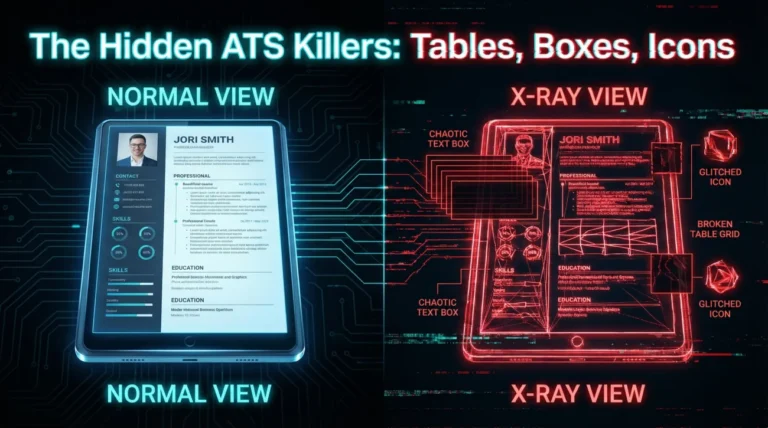
| 3) Text boxes (even invisible ones) | Reads in weird order or ignores content | Replace with normal paragraphs |
| 4) Tables for layout | Merges columns, breaks line order | Use simple spacing and tabs cautiously |
| 5) Two-column layout | Reads across columns unpredictably | Single column for submission file |
| 6) Skill “chips” or boxes | Imports as random fragments | Convert to a clean bulleted list |
| 7) Icons as bullets | Imports as empty squares or junk | Use standard round bullets |
| 8) Special characters and symbols | Replaces with ??? or removes words | Swap to simple ASCII characters |
| 9) Fancy section headings | Fails to map sections correctly | Use standard headings |
| 10) Over-styled capitalization | Confuses name vs headings | Use normal case for headings |
| 11) Embedded fonts in PDF | Text becomes unreadable blocks | Export with standard fonts, test paste |
| 12) Image-based PDF (scanned) | No readable text, only an image | Use text-based PDF or DOCX |
| 13) Hyperlinks with tracking strings | Imports messy URL text | Use clean links or plain text |
| 14) Weird date formats | Misreads timelines or merges roles | Use Month Year consistently |
| 15) Mixed separators in dates | Creates broken ranges | Pick one format and stick to it |
| 16) Location on the wrong line | Associates city with job title | Keep title, company, location separated |
| 17) Excessive line breaks | Creates blank “entries” in parsing | Use spacing intentionally |
| 18) Hidden keyword hacks | Flags integrity issues or imports junk | Remove hidden text completely |
<strong⚠️ Warning: A resume can parse perfectly in one system and break in another. That is why “safe formatting” beats “clever formatting.”
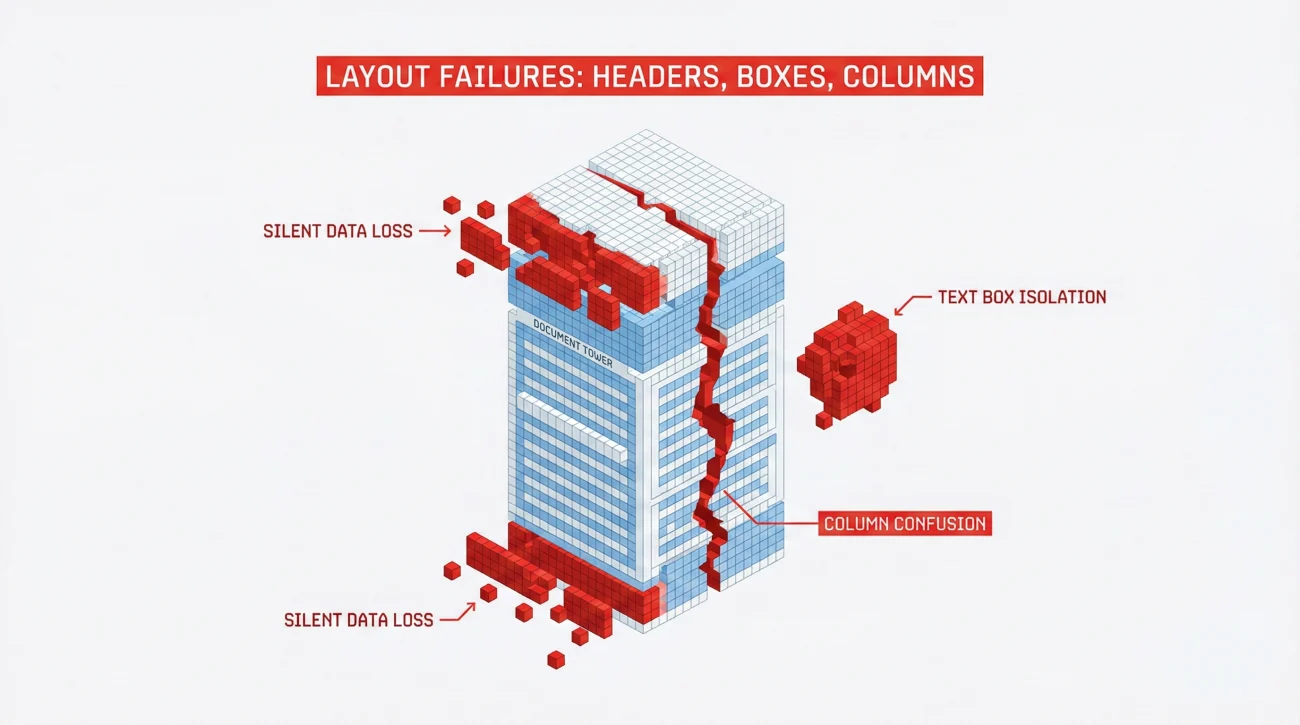
Contact and Page Layout Errors That Cause Silent Data Loss
Headers, footers, and the disappearing email problem
I have seen this more times than I can count: A candidate swears their email is on the resume, but the ATS profile shows no email at all. Then they never get contacted, and they assume “the company ghosted.” Often, the email lived inside a document header.
Mistake 1: Contact info inside a header. Many systems treat headers like decoration and either ignore them or extract them unpredictably. Put your contact lines in the main document body, at the top, in plain text.
Mistake 2: Footer page numbers. Page numbers look harmless, but some parsers pull them into the middle of your content. If your bullets become “Page 1 of 2” soup, you will know why.
“I can see your resume, but the system imported your phone number as part of your last job title. It looks like a glitch, not a typo.”
💡 Pro Tip: If you love a designed header for networking, keep it for the “human PDF.” Create a separate submission file that is plain and safe.
Text boxes, tables, and two-column layouts
Here is the hard truth about modern resume design elements: They are layout tools, not text tools. ATS parsers do not care how it looks. They care how the text exists in the file structure.
Mistake 3: Text boxes. Even when the text is visible, the parser may read the box last, first, or not at all. Replace text boxes with normal paragraphs.
Mistake 4: Tables for layout. Some ATS systems can handle simple tables, but “can handle” is not the same as “will handle reliably.” Tables often cause merged columns, broken bullets, or line order chaos.
Mistake 5: Two-column layout. This is one of the most common ATS resume mistakes because it looks professional to humans. But parsers can read across columns in strange ways, especially when the left column is “Skills” and the right column is “Experience.” Your job titles end up next to random keywords.
- If the job portal accepts DOCX: Use a single-column DOCX submission file.
- If the portal strongly prefers PDF: Use a text-based PDF, single column, no text boxes.
- If you are unsure: Assume the parser is fragile and simplify.
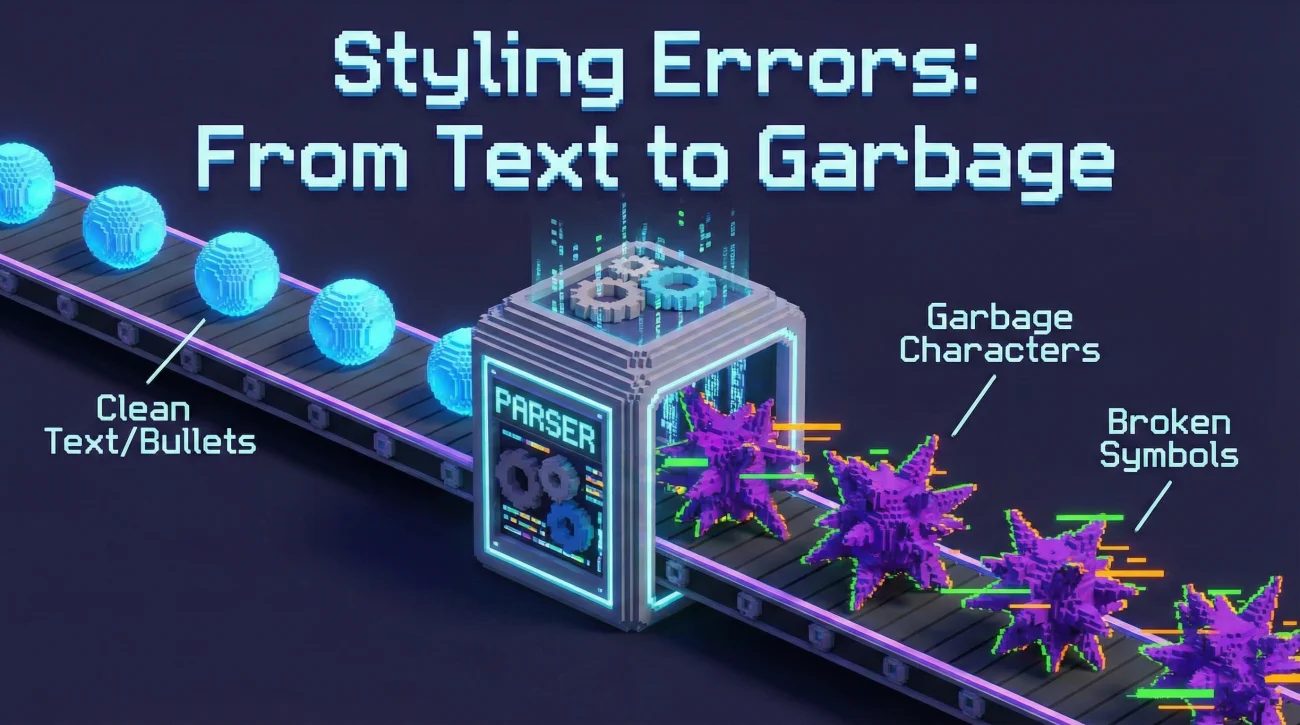
Text and Styling Mistakes That Turn into Garbage Characters
Icons, special characters, and “pretty” bullets
One candidate, Ren, had a resume where every bullet was a small icon. It looked clean. In the ATS import, every bullet became an empty square. The system still had the words, but the readability crashed, and the sections blended together.
Mistake 6: Skill chips or boxes. Those rounded rectangles are often shapes, not text. Convert them into normal bullet lists.
Mistake 7: Icons as bullets. Replace icons with standard round bullets or hyphen bullets.
Mistake 8: Special characters and symbols. This includes decorative separators, arrows, uncommon bullet characters, and stylized punctuation. If you see “?” appear when you copy-paste your resume into a plain text editor, fix it.
💡 Pro Tip: If you want emphasis, use bolding strategically. Machines read bolded text fine. They do not read fancy symbols reliably.
Section titles that feel creative, but parse badly
A lot of ATS mapping relies on predictable headings. You can be creative in your bullet content, not in your section labels.
Mistake 9: Fancy section headings like “My Journey,” “Where I Have Been,” or “Toolbox.” They can confuse parsing and also confuse recruiters scanning fast. Use standard labels such as “Professional Experience,” “Education,” “Skills,” “Certifications,” “Projects.”
Mistake 10: Over-styled capitalization. All-caps blocks can cause the parser to misread boundaries between your name, headings, and content. Use normal case and consistent typography.
File Type Mistakes That Make a Resume “Unreadable”
The PDF problem is rarely “PDF vs Word”
People argue about PDF versus DOCX as if one is always right. In practice, the real issue is whether the file contains selectable, copyable text in a clean order.
Mistake 11: Embedded fonts in PDF. Some exports turn text into shapes or embed fonts in a way that breaks extraction. If you cannot copy a line cleanly, the parser may struggle too.
Mistake 12: Image-based PDFs. Scanned resumes are basically photos. Unless the system runs OCR well (many do not), it cannot “read” them.
⚠️ Warning: If you used Canva or a design tool, double-check that your exported PDF is text-based. Many beautiful templates create text as a visual layer.
Links that import as noise
Mistake 13: Hyperlinks with long tracking strings. Some systems import the raw URL into the profile. Keep links clean and readable. If your link looks like a paragraph, it will behave like one.
If a recruiter sees “https://…” stuffed into a field where your job title should be, that is not a vibe you want.
Date and Location Mistakes That Warp Your Timeline
When the system cannot tell what happened when
Timeline clarity is one of the first things recruiters sanity-check. If the ATS import makes it look like you have overlapping roles or missing years, you create doubt you do not deserve.
Mistake 14: Weird date formats. Pick something boring and consistent, like “Jan 2022 to Mar 2025” or “January 2022 to March 2025.”
Mistake 15: Mixed separators. Do not switch between slashes, dashes, and dots across sections. The parser may split ranges incorrectly.
Mistake 16: Location on the wrong line. Keep a clear structure so the parser can associate each item correctly:
Jan 2022 – Mar 2025
– Built KPI dashboards used by 6 stakeholders weekly
– Reduced reporting time by 30% through automation
The “Looks Fine to Me” Problems: Spacing, Line Breaks, and Hidden Text
Blank lines can become blank records
Mistake 17: Excessive line breaks. Some parsers treat repeated blank lines like separators between entries. That can create phantom roles or chopped sections. Use spacing intentionally. If you want separation, a single blank line is usually enough.
I remember a candidate, Mo, whose resume imported as five separate “jobs” at the same company because each bullet block had extra blank lines. The content was strong. The import looked chaotic.
Hidden keyword hacks are not clever, they are risky
Mistake 18: Hidden text hacks (white text, tiny text, stuffing full job descriptions). Beyond ethics, they often backfire: Some systems import the hidden text into your profile, and now your “Skills” section becomes a wall of unrelated sentences.
If you want to improve match, do it the honest way: Mirror the job description language inside your bullets where it is true, not invisible.
❌ Note: If your resume has any hidden layers, remove them. It is one of the fastest ways to reduce parsing weirdness.
The 7-Minute ATS Self-Check Before You Submit
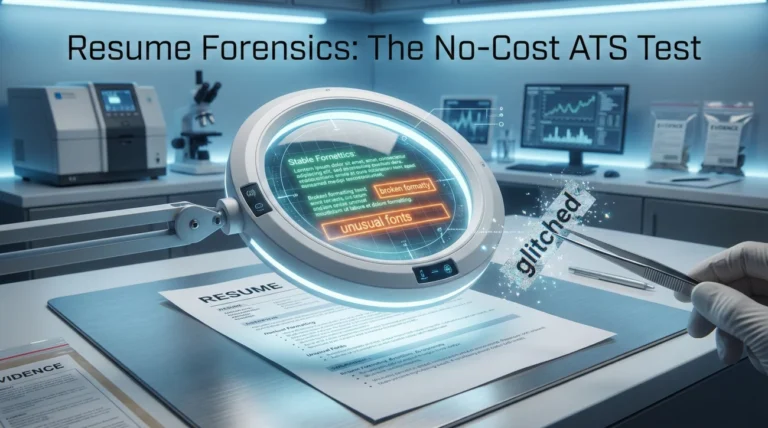
This is my quick sanity routine. It does not require special software, and it catches the majority of ATS formatting mistakes fast.
Step 1: The plain text reality check
- Copy your entire resume and paste into a plain text editor.
- Scan for missing lines: Email, phone, job titles, company names, dates.
- Check order: Does it read top to bottom, or does it jump around like two columns collided?
Step 2: The “import preview” check
Many job portals show you what they extracted after upload. If the system asks you to confirm your experience and it is obviously wrong, do not assume “it is fine.” That is your warning light.
💡 Pro Tip: If the preview import is messy, recruiters often see a messy profile too. Fixing formatting can improve your search visibility without changing a single keyword.
Step 3: The final simplification rule
If you are stuck choosing between a beautiful layout and a safe layout, choose safe for the submission file. You can still keep a designed version for referrals, networking, and direct emails.
That compromise is what worked for a friend of mine, Jae: We kept his two-column design for human sharing, but created a single-column submission version. His interview rate improved, and nothing about his experience changed. Only the import quality changed.
Final
Most of the time, you do not need a new resume. You need a resume that survives import. Once you treat the ATS as a text parser plus a database, the fix becomes practical: Remove fragile layout tricks, make headings predictable, keep dates consistent, and test your file in plain text before you hit submit.
When you eliminate the common ATS resume mistakes, you stop losing opportunities to silent formatting failures and start letting your actual experience do the talking.
❓ FAQ
🧩 Do ATS systems still struggle with two-column resumes?
Some can handle them, some still misread order. If you want the safest submission file, use single column, especially for job portals where you cannot control the parsing quality.
📄 Is PDF or DOCX better for ATS?
The “best” option depends on what the employer asks for. If both are accepted, DOCX is often the safest for parsing, while a text-based PDF can still work well if it is clean and copyable.
🔎 Why does the ATS import my dates incorrectly?
Usually it is inconsistent formatting: Different date styles across roles, mixed separators, or dates placed inside tables or text boxes. Use one consistent “Month Year” format and keep it on its own line.
🧱 Are tables always bad for ATS?
Not always, but they are a high-risk choice because parsing behavior varies across systems. If you use tables for alignment, expect that some platforms may merge columns or scramble order.
🧠 What are the most common ATS formatting mistakes candidates do not notice?
Headers with contact info, icons used as bullets, text boxes created by design tools, and PDFs that are not truly text-based. These are easy to miss because the resume looks fine visually.
🚫 Can hidden keywords get me rejected?
They can create red flags and can also pollute your parsed profile with junk text. It is safer to match keywords naturally inside honest bullets rather than hiding content.
⚠️ Disclaimer: ResumeSolving provides resume, cover letter, job search communication, and career transition guidance for informational purposes only. Hiring practices vary by employer, role, location, industry, and individual circumstances. We do not guarantee interviews, job offers, ATS results, or other outcomes. Verify employer requirements directly and follow applicable laws and workplace policies. For sensitive situations, use only information you are comfortable disclosing and keep all statements accurate.