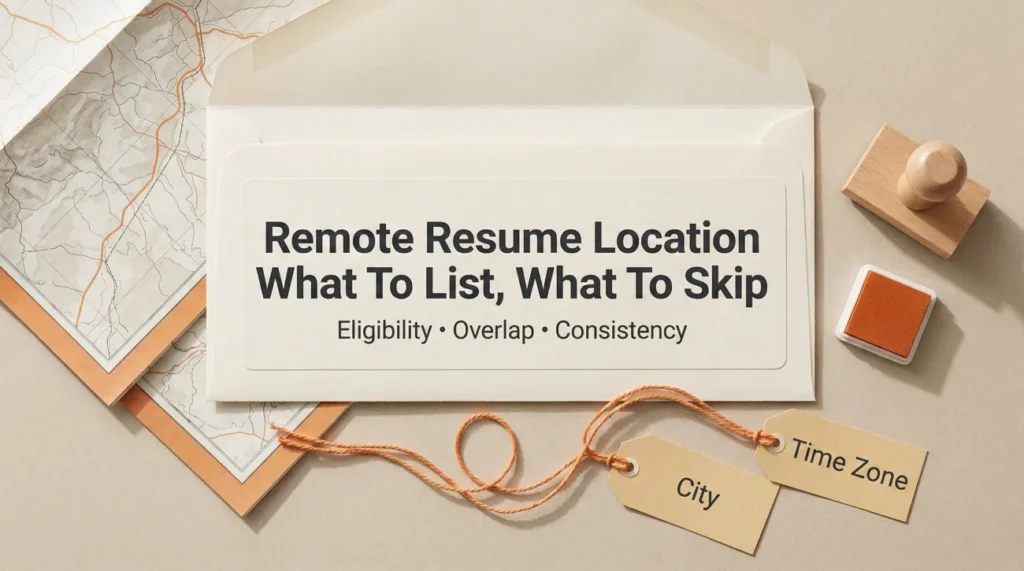
- If the job is remote but location-restricted, listing your city is not optional. It is how recruiters confirm you are even eligible.
- Use one clean location signal in the header, then keep job entries consistent so you do not trigger mismatch confusion.
- When time zones matter, a simple time zone note can remove doubt faster than a long explanation.
Why “Location” Still Matters on a Remote Resume
I have reviewed a lot of remote candidates who were strong on skills but quietly lost momentum because their resume made one basic thing unclear: Where are you actually based right now?
Remote hiring sounds borderless. In practice, most companies still have constraints: payroll, tax setup, compliance, team overlap, or simply “We need you within two hours of Eastern Time.” If your resume makes your location feel fuzzy, recruiters fill in the blanks with the most conservative guess.
This guide is for one very specific problem: remote work on resume location decisions. What to list, what to skip, and how to avoid the small wording choices that trigger “mismatch” worries.
Key Point: On a remote resume, your location is not about your street address. It is about eligibility, time overlap, and reducing uncertainty in the first scan.
Start With One Question: What Does “Remote” Mean in This Job Post?
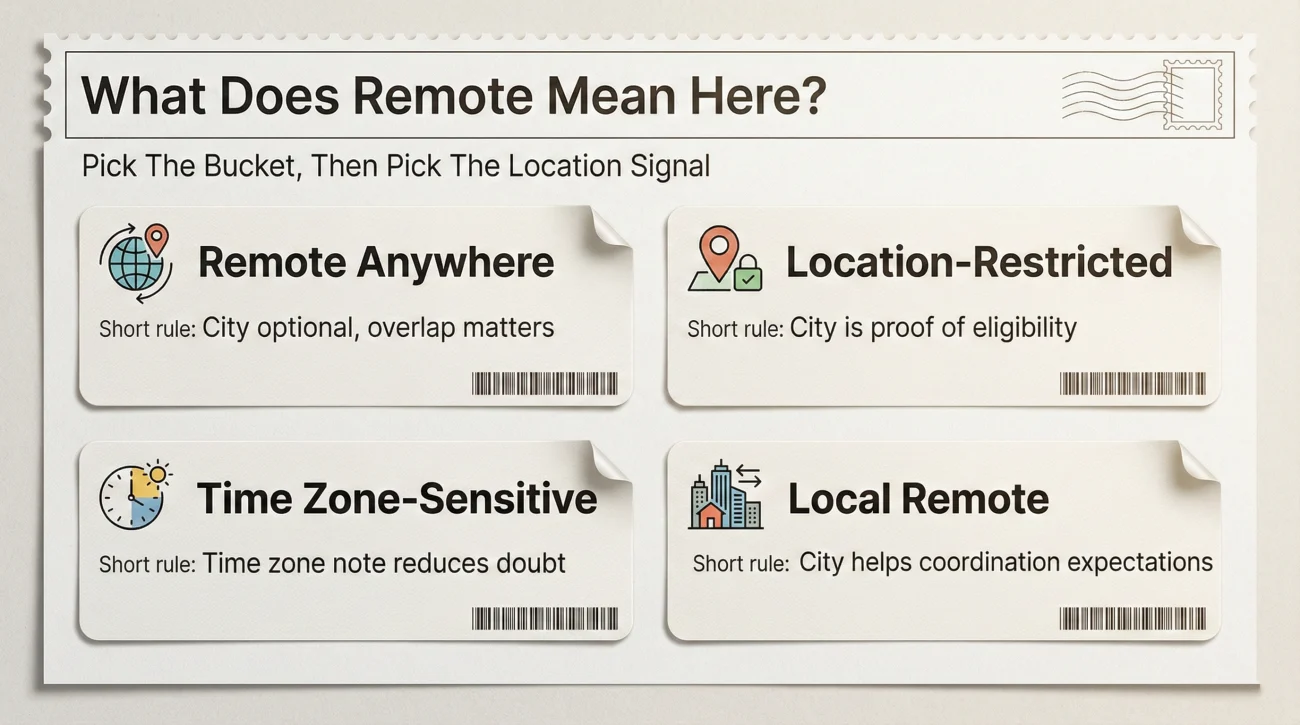
Before you decide what to put in the header, decode the remote label. I use a quick mental sort into four buckets. Each bucket changes what “normal” looks like on a resume.
Bucket 1: Remote anywhere
This is rarer than people think, but it exists. The posting typically says “Work from anywhere” or lists a broad set of countries with no narrow time zone language.
In this case, listing your city is still fine, but your bigger risk is confusion about time overlap. If the team has core hours, show you can meet them without writing a paragraph.
Bucket 2: Remote but location-restricted
This is the most common. The post says things like “US only,” “Must be in Canada,” “EMEA only,” or “We can hire in these states.”
If you hide your city here, you do not look clever. You look ineligible.
Bucket 3: Remote but time zone-sensitive
This shows up as “Must overlap 4 hours with Pacific Time” or “Core hours 10am to 3pm ET.” In these roles, a time zone note can do more than a city name.
Bucket 4: “Local remote”
The job is labeled remote but quietly expects you near a hub for occasional onsite, client visits, or quarterly offsites. The posting may say “Remote in Austin” or “Remote, Bay Area preferred.”
Here, a city line can be the difference between “easy yes” and “extra coordination.”
⚠️ Warning: If the job post has any hint of geographic restriction and your header location is missing, recruiters often assume you are outside the allowed region.
What to Put in the Header Location Line
Think of the header location as a single, calm signal. You want the recruiter to understand your base location in one glance, without turning it into a story.
| Header location format | Best when | What it prevents |
|---|---|---|
| City, State | Remote but location-restricted within one country | Eligibility doubt, “Where are they based?” back-and-forth |
| City, Country | International remote searches, cross-border teams | Assumptions about work hours and legal setup |
| Time zone only (for example: GMT+7) | Time zone-sensitive roles where city is less relevant | Worries about overlap, late-night meeting assumptions |
| City, State + “Open to relocation” | You are actively moving soon and want it known upfront | “They will not be here” hesitation |
| City, State + “Remote” | You want to reinforce remote preference without hiding location | Confusion about whether you are willing to work onsite |
One thing I rarely recommend: putting only “Remote” as your location. It reads like you are dodging a basic eligibility filter. If you want a clean compromise, keep your city and add a quiet remote note.
Should you remove your city because you are applying to remote jobs?
Usually no. If the company has hiring restrictions, your city is the fastest proof you are within them. If you are worried about bias against smaller markets, the better fix is to add a time zone note and show remote collaboration outcomes in your experience section.
💡 Pro Tip: Use exactly one primary location signal in the header. If you list city, do not also list a different country elsewhere unless you explain why.
Copy and Paste Examples That Look “Normal” to Recruiters
These are simple on purpose. Remote resumes fail when they try to be clever.
If the role is remote but restricted to a country or state set
Seattle, WA (Remote)
[email protected] | (555) 123-4567 | LinkedIn: linkedin.com/in/jordanlee
If time zone overlap is the real concern
GMT-5 (Eastern Time) | Remote
[email protected] | (555) 123-4567 | LinkedIn: linkedin.com/in/jordanlee
If you use a time zone line, keep it clean. Do not add “I can work any hours” unless it is truly sustainable. Recruiters have learned to distrust extremes.
If you are relocating soon
Currently: Phoenix, AZ | Relocating to Denver, CO (May 2026)
[email protected] | (555) 123-4567 | LinkedIn: linkedin.com/in/jordanlee
This is one of the few times I support a slightly longer line. It answers the “Where will you be?” question before it forms.
“We can only hire in certain states. I just need to know where you’re based so I don’t waste your time.”
Keep Job Locations Consistent So You Do Not Trigger “Mismatch” Worries
A common remote resume mistake is mixing signals. The header says one place, and job entries suggest another. The recruiter’s brain goes to the fastest explanation: This candidate moves around, or they are hiding something, or they will not overlap our hours.
For each job entry, choose what you are describing
Job location lines can mean two different things. Pick one meaning and stick to it across the resume.
- Company location: Where the employer is based (useful for credibility and context).
- Your working location: Where you performed the work (useful when remote or hybrid needs to be clear).
When I coached a candidate named Elrona, she listed her employer as “New York, NY” because that was the HQ, but she lived in Florida and applied to a role restricted to specific states. The recruiter saw “New York” first and assumed she was outside the allowed hiring footprint. She was not rejected for skill. She was rejected for confusion.
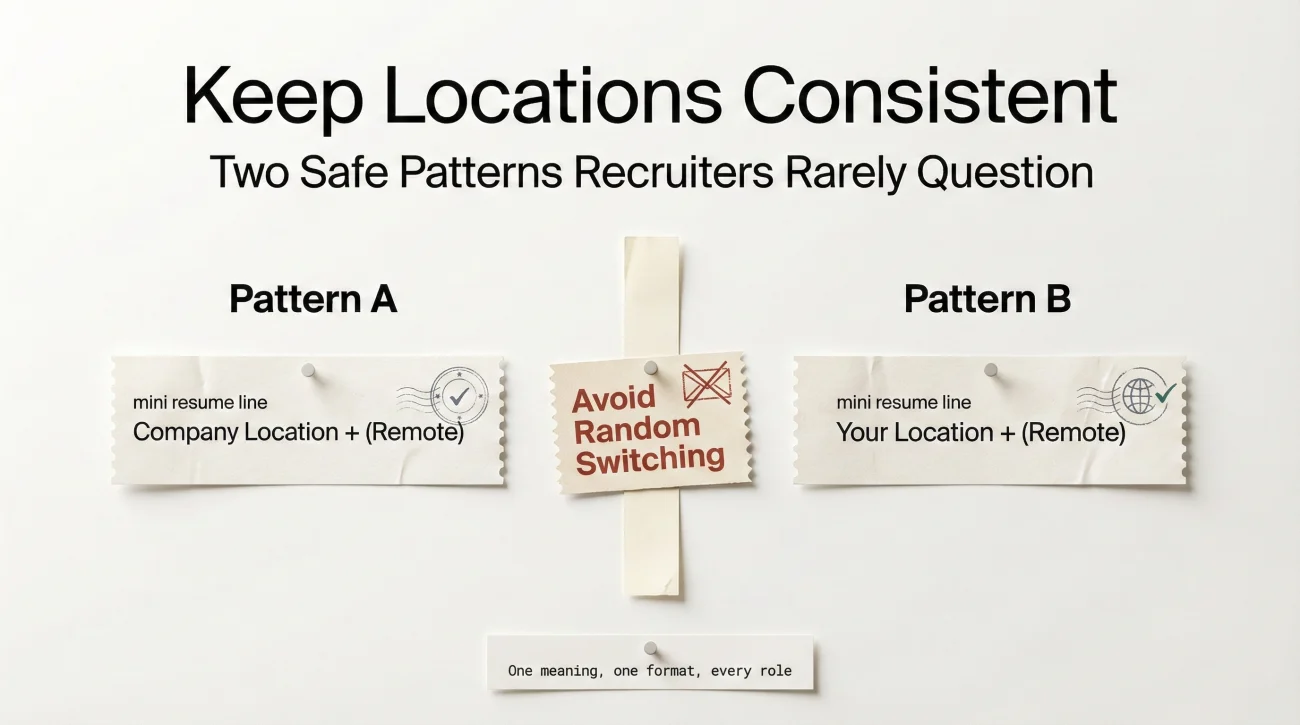
Two safe patterns that rarely cause problems
Pattern A: Company location + “Remote” tag
– Led launch messaging that increased demo-to-trial conversion by 18%
– Partnered with Sales and CS across 4 time zones to reduce churn objections
Pattern B: Your location + “Remote” tag (when company location is not essential)
– Built lifecycle campaigns that improved activation by 22%
– Ran weekly async updates and stakeholder reviews to keep launches on track
❌ Note: Avoid switching patterns randomly. Pick one and apply it to every role unless you have a clear reason to change.
What to Skip Because It Raises Questions Fast
Remote hiring is already high volume. Recruiters look for reasons to simplify. These items often push your resume into the “extra effort” pile.
Skipping location entirely
If the role has any geographic restriction, missing location is interpreted as “not eligible.” Even if you are eligible, you are asking the recruiter to do extra work to confirm it.
Using vague wording like “Global” or “Anywhere” without context
It can read like you are planning to travel constantly, or you might be outside payroll regions. If you are stable in one place, say it.
Listing multiple locations without explanation
Two cities can be fine if one is a relocation plan. Two cities with no reason can look like a contradiction.
Overpromising time zones
Every recruiter has heard “I can work any hours” and then watched it collapse in month two. If you can overlap core hours, say that. If you can flex occasionally, say that. Keep it believable.
One of my colleagues hired a remote analyst who wrote “Available across all time zones.” It sounded impressive. In reality, the candidate meant “I’m willing to take late meetings sometimes.” A better line would have been specific and calm: “Overlap with ET core hours.”
Location on resume for remote job is not about performing confidence. It is about preventing avoidable doubt.
A Simple ATS Reality: Your Location Often Becomes a Filter
Even when the recruiter is flexible, the system may not be. Many application forms ask for location separately from your resume. That location can be used to route, filter, or prioritize candidates based on hiring regions.
This is why your resume should not contradict your application profile. If the form says “Chicago” but the resume header implies “Remote” with no city, it creates unnecessary friction.
Make the resume match the form in spirit
- If the form collects city and state, your header can also show city and state.
- If the role is time zone-sensitive, add a small time zone note so your resume supports what the form cannot show.
- If you are relocating, align the form location with reality and use the resume line to explain the transition.
💡 Pro Tip: If you are applying internationally, keep one stable base location signal. Recruiters do not fear international candidates. They fear logistics surprises.
remote resume location should feel boring. Boring is good. Boring means “no extra questions.”
Final: The “One Clean Signal” Rule
If you take only one rule from this guide, make it this: Give recruiters one clean location signal they can trust on first scan, then keep the rest of the resume consistent with it.
Remote hiring is full of invisible constraints. When your resume makes your base location obvious, you remove an entire category of doubt before anyone even reads your bullet points.
If you are still unsure, default to the simplest version that fits the posting. City plus a quiet remote note beats vague wording almost every time.
❓ FAQ
🎯 Should I put “Remote” as my location on a resume?
You can, but it is usually safer to list your city and add “Remote” in parentheses. “Remote” alone can look like you are hiding eligibility details.
🧭 Should i put city on resume remote if the job is labeled “work from anywhere”?
Yes, you still can. A city or time zone helps recruiters understand overlap and avoids assumptions. If the role truly has no geographic restriction, your city will not hurt you.
⏰ If time zones matter, should I list my time zone instead of my city?
If the posting emphasizes overlap or core hours, a time zone line can be more useful than a city. Keep it short and match the job’s language.
📍 What location do I list for jobs I did remotely?
Pick one consistent pattern: either show the company location and tag it as remote, or show your working location and tag it as remote. Do not mix patterns without a clear reason.
🚚 How do I show relocation on a remote resume without overexplaining?
Use one line that states your current city and your relocation destination with a month and year. Keep it factual, not emotional, and avoid turning it into a story.
⚠️ Disclaimer: ResumeSolving provides resume, cover letter, job search communication, and career transition guidance for informational purposes only. Hiring practices vary by employer, role, location, industry, and individual circumstances. We do not guarantee interviews, job offers, ATS results, or other outcomes. Verify employer requirements directly and follow applicable laws and workplace policies. For sensitive situations, use only information you are comfortable disclosing and keep all statements accurate.