- Your skills list is a time stamp: A few “small” items can make the whole resume feel old.
- Don’t just delete: Use a 5-question test, then reframe into proof bullets and specific capabilities.
- Keep legacy skills only when they are job-relevant: Present them as “current use” or “modernization” work.
Why Outdated Skills Are Not Just “Extra”, They Can Change the Story
I once reviewed a resume for a candidate named Lyla who had strong leadership experience, solid results, and a calm, confident tone. Then I hit her skills section: “Faxing, Filing, Typing 75 WPM, Windows 7, Microsoft Word.” Nothing was “wrong” in a factual sense. But the impression shifted in two seconds.
That is the real problem with outdated skills on resume. They do not merely waste space. They can quietly reframe you as someone who has not updated how you work, even if you have.
In the “older worker” hiring reality, this matters more than people want to admit. Recruiters skim fast. They look for signals of recent work style and modern tooling, then they move on. If the first signals they see feel dated, they may not read long enough to discover the modern parts of your experience.
Key Point: A resume can be strong overall and still feel “old” if the skills section reads like a list from ten years ago.
What “Outdated” Really Means in 2027

Most internet advice treats outdated skills like a fixed list. That approach fails because “outdated” depends on the role, the industry, and the proof you show. I use three buckets when I screen resumes.
Bucket 1: Skills That Are Assumed, So Listing Them Makes You Look Junior
This is where people get trapped. The skill is not outdated. The listing is what feels outdated because it signals you do not know what is baseline anymore.
Common examples: email, Microsoft Word, basic PowerPoint, “internet research”, data entry, “proficient with computers”. If the job does not explicitly ask for them, they are usually assumed.
That is why the phrase basic computer skills resume is risky for most professional roles. It can make you sound like you are proving a minimum, not showing a differentiator.
Bucket 2: Tools That Anchor You to an Old Era
These are the skills that act like a date stamp because the tool or the workflow is strongly tied to a past era. Sometimes the tool is truly discontinued. Sometimes it is still used, but mentioning it without context makes you look stuck in it.
Examples: old OS mentions (Windows 7), very old versions (“Office 2003”), legacy comms tools presented as primary, or obsolete admin tasks (faxing) listed as skills.
Bucket 3: Skills That Are Too Vague to Be Credible
These often appear as “soft skills” or generic labels: “team player”, “hard worker”, “fast learner”, “good communication”. They are not outdated by time, but they are outdated by modern screening standards.
Modern hiring wants evidence, not labels. If a skill cannot be shown in a bullet or a short proof line, it usually does not belong in the skills list.
💡 Pro Tip: If you can’t show how you used a skill in the last 12 to 24 months, treat it as suspicious until proven otherwise.
The 5-Question Test to Decide What to Remove vs Keep
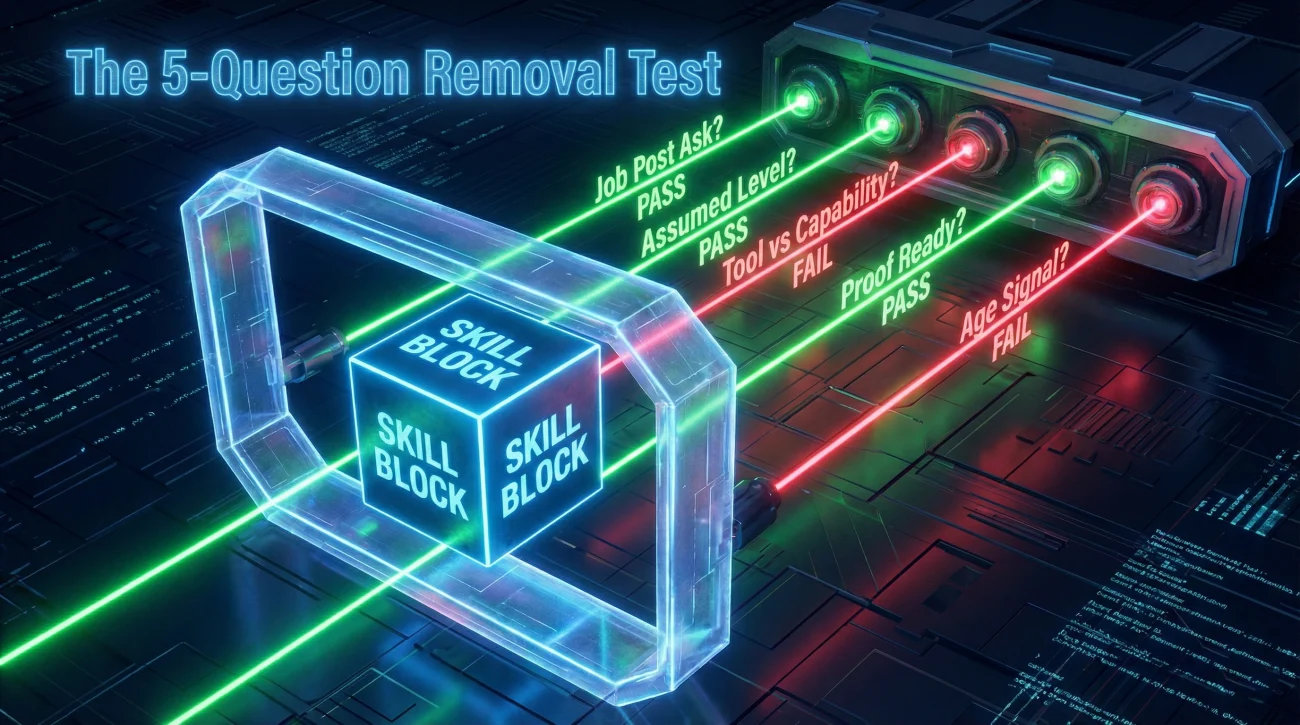
Instead of hunting for a generic list of “bad skills”, use this quick test on every line in your skills section. It is the fastest way to clean a resume without deleting something you actually need.
[Relevance] + [Recency] + [Specificity] + [Proof] + [Signal]
Question 1: Does the job posting explicitly ask for it?
If the posting names it, you can keep it, but still rewrite it to be specific. “Microsoft Office” is weaker than “Excel: PivotTables, Power Query, dashboard reporting”.
Question 2: Is it assumed at your level?
If you are applying for mid-level or senior roles, listing baseline tools can reduce perceived seniority. This is where a lot of outdated skills resume lists get it half-right: They tell you what to remove, but not why it changes the level signal.
Question 3: Is your wording stuck in the tool name instead of the capability?
Tool names age fast. Capabilities age slower. “Slack” might become “Teams” in a year. But “async stakeholder updates” stays relevant. When possible, translate the tool into the outcome and workflow it supports.
Question 4: Can you prove it with a recent impact line?
If you keep a skill, you should be able to support it with one bullet that shows the result. Proof beats claims, especially for senior candidates.
Question 5: Does it create an age signal when listed alone?
This is subtle. “Typing 80 WPM” might be fine for data-entry roles. For most professional roles, it can become an unintended signal: It reads like you are optimizing for an older job market logic.
“I didn’t reject him for the skill. I rejected him because the skills list made it look like he hadn’t updated how he works.”
I have heard versions of that line from hiring partners more times than I can count. Not because they are cruel, but because they are scanning for fit, speed, and modern context.
Reframe Table: Remove the “Time Stamp”, Keep the Value
This is the part most resume advice skips. Deleting is easy. Reframing is what actually upgrades you.
If you’re worried about skills that make your resume look dated, start here. Replace the old label with a modern capability, then add one proof bullet in your experience section.
| Outdated or Risky Line | Why It Dates You | Modern Capability | Proof Bullet You Can Use |
|---|---|---|---|
| Microsoft Office | Too generic, reads baseline | Excel analysis, reporting automation | Built weekly KPI dashboards in Excel (PivotTables, Power Query) to cut reporting time by 40%. |
| Assumed skill | Stakeholder communication systems | Created a weekly stakeholder update cadence that reduced follow-up questions and kept timelines visible. | |
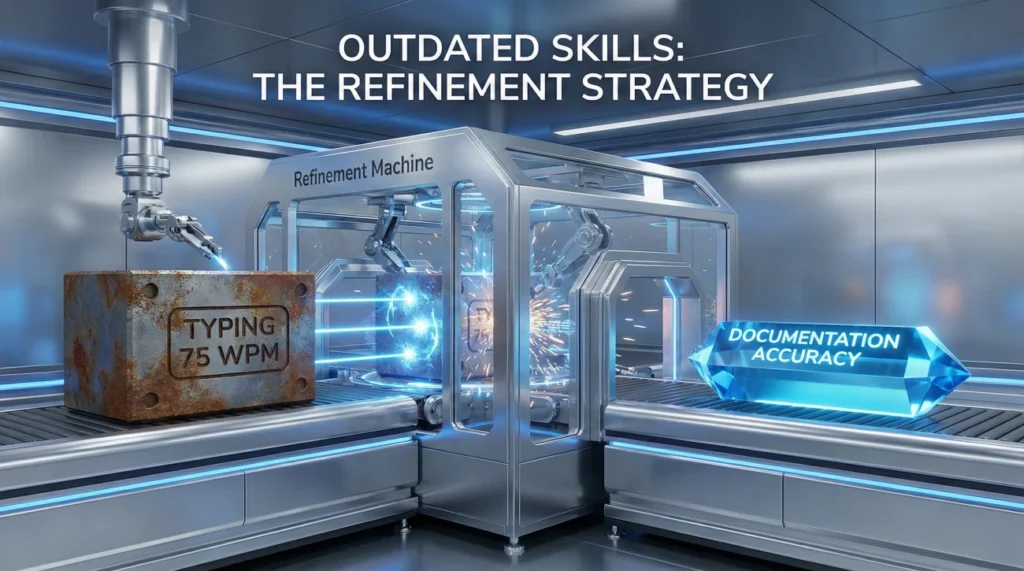
| Typing 75 WPM | Role-misaligned for most jobs | Fast documentation and accuracy | Maintained clean documentation during peak workload periods with near-zero error rates in submitted records. |
| Faxing / Filing | Obsolete workflow signal | Compliance documentation handling | Managed regulated documentation workflow and audit-ready records with consistent on-time submissions. |
| Windows 7 | Old OS anchor | Secure workspace practices | Supported secure handling of sensitive files with clear access controls and clean handoffs across teams. |
| Data Entry | Sounds low-level alone | Data accuracy, process improvement | Improved data accuracy by standardizing input checks and reducing rework requests from downstream teams. |
| PowerPoint | Baseline unless specified | Executive narrative and decision support | Built concise exec-ready decks to support go-no-go decisions, clarifying tradeoffs and next steps. |
| Internet Research | Too generic | Market and competitor synthesis | Produced short competitor briefs to inform pricing conversations and improve pitch win rate. |
| Customer Service | Vague category | Escalation handling, retention | Resolved escalations by mapping root causes and reducing repeat tickets through process fixes. |
| Scheduling | Reads admin-only without scope | Capacity planning | Coordinated team capacity planning to hit deadlines without overtime spikes during peak periods. |
| CRM | Too broad | Pipeline management and hygiene | Improved pipeline accuracy by tightening stage definitions and updating deal notes weekly. |
| QuickBooks (no context) | Tool name only | Month-end close support | Supported month-end close by reconciling entries and keeping reporting clean and timely. |
⚠️ Warning: Never “upgrade” by claiming a tool you do not actually use. The safer move is to translate into capability and prove it with real work.
When You Should Keep a Legacy Skill (And How to Make It Sound Current)
Not every old tool is useless. Some industries run on legacy systems for years. The issue is listing them like your identity is stuck there.
Keep it when it is core to the job, but frame it as “current use” or “modernization”
A friend of mine, Raj, works in a heavily regulated environment where older systems are still real. He kept the legacy system on his resume, but he changed the framing. Instead of “Legacy System X”, he wrote “Legacy System X: Process optimization, documentation cleanup, migration support.”
That small shift tells the reader: You can operate in old environments, but you are not trapped in them.
Use the “Bridge Phrase” to prevent age-signal interpretation
If you must keep old software on resume, add a bridge phrase that shows modern context. Examples of bridge phrasing you can adapt:
- Legacy platform support with workflow improvements
- System maintenance plus migration readiness
- Tool expertise with modern reporting and automation
- Cross-team enablement and documentation modernization
How to Update the Skills Section Without Making It Longer
Most people “fix” skills by adding more. That creates a crowded resume and makes the scanning problem worse. The better move is subtraction plus specificity.
Replace categories with skill clusters that reflect today’s work
If your skills section reads like a generic checklist, rewrite it into 3 to 5 clusters. Each cluster should contain specific capabilities, not broad labels.
Microsoft Office, Email, Typing 75 WPM, Filing, Internet Research, Team Player, Hard Worker
Reporting and Analysis: Excel (PivotTables, Power Query), KPI dashboards
Communication and Execution: Stakeholder updates, meeting notes, action tracking
Operations: Documentation hygiene, workflow improvement, audit-ready records
This is the simplest version of how to update skills section without making it look like you are padding. You are not adding skills. You are renaming what you already do in modern terms.
Move “proofable skills” into experience bullets
If the skill matters, prove it where it is believable. Experience bullets are harder to dismiss than a skills list.
One candidate, Philip, was applying to operations roles after a long tenure in the same company. His resume had “Scheduling, Coordination, Microsoft Office.” We moved one line into experience: “Built a weekly capacity view in Excel to prevent last-minute schedule churn.” That single bullet carried more modern weight than the entire old skills list.
Do-Not-Do List: The Fastest Ways to Make Your Skills Look Old
This section is blunt on purpose. These are patterns I still see in senior resumes, and they quietly undermine credibility.
- ✅ Don’t list operating systems or very old versions: It dates you faster than you think.
- ✅ Don’t use “proficient in Microsoft Office” as a standalone line: Be specific or prove it in bullets.
- ✅ Don’t stack baseline skills (email, internet, typing) unless the role truly needs them.
- ✅ Don’t keep skills that you cannot defend in an interview with a recent example.
- ✅ Don’t use vague traits as skills: Replace with a real behavior and outcome.
If you want a quick sanity check, read your skills section and ask: “Would this list impress someone who already works in this job today?” If the answer is no, you are seeing the same problem a recruiter will see.
Final: Make Your Skills Sound Like 2027 Without Pretending to Be Someone Else
Modernizing a resume is not about chasing trendy buzzwords. It is about removing accidental time stamps, then translating your real work into proof that hiring teams recognize today.
If you remember one thing, remember this: deleting is only half the job. The real upgrade happens when you reframe the skill into capability, then attach one credible impact line.
That is how you handle outdated skills on resume in a way that feels honest, current, and still completely you.
❓ FAQ
🤔 Is Microsoft Office an outdated skill on a resume?
It depends on how you write it. “Microsoft Office” as a generic line often reads baseline. If the role values it, specify what you actually do, like Excel modeling, dashboards, or Power Query, and back it with a bullet.
🧭 How do I know if a skill is assumed?
If most professionals in your target role must use it daily, it is usually assumed. The safer move is to prove higher-level use inside your experience bullets instead of listing the basic label.
🧩 What if my industry still uses older tools?
Keep them when they are job-relevant, but frame them as current use or modernization work. Add context that shows you improve workflows, support migrations, or maintain audit-ready processes.
📝 Should I remove typing speed from my resume?
For most professional roles, yes. For roles where speed is a real requirement, keep it and make it clearly role-aligned. Otherwise it can read like an older hiring-era signal.
🧠 Are soft skills outdated now?
Soft skills still matter, but generic labels are weak. Replace “good communicator” with one proof line that shows how you communicate, like stakeholder updates, decision notes, or conflict resolution outcomes.
🔍 How many skills should I list after cleaning?
Aim for a tight set that matches the job and can be defended with recent examples. Think in clusters, not long checklists. If a skill is important, prove it in experience bullets.
⚠️ Disclaimer: ResumeSolving provides resume, cover letter, job search communication, and career transition guidance for informational purposes only. Hiring practices vary by employer, role, location, industry, and individual circumstances. We do not guarantee interviews, job offers, ATS results, or other outcomes. Verify employer requirements directly and follow applicable laws and workplace policies. For sensitive situations, use only information you are comfortable disclosing and keep all statements accurate.