- ATS section headings act like anchors. If you rename them creatively, your content may land in the wrong bucket or get ignored.
- Use a “safe set” of headings for Summary, Experience, Education, and Skills, then add only a few controlled variations when you truly need them.
- When in doubt, swap fancy labels (“My Journey”, “Expertise”) for plain labels (“Work Experience”, “Skills”) and test the parsed preview.
Why ATS Headings Fail More Often Than People Think
I remember a candidate named Lanzi who was proud of her resume layout. It was clean, modern, no weird fonts. The only “creative” part was her section titles: “What I’ve Done”, “Where I’ve Studied”, “My Toolkit”.
She applied through a system that asked her to review the auto-filled fields before submitting. Her accomplishments got dumped into an “Other” box, her tools were scattered, and the role dates were half-missing. Nothing was technically “wrong” with her experience. The upload was.
That’s why this guide is about ATS resume headers in the most practical way: which section names parse cleanly, which are risky, and how to fix them without turning your resume into a boring template.
💡 Pro Tip: Think of headings as labels on moving boxes. If the label is unclear, the mover (the ATS) puts the box in the wrong room.
How ATS Uses Section Headings (The “Anchor” Mental Model)
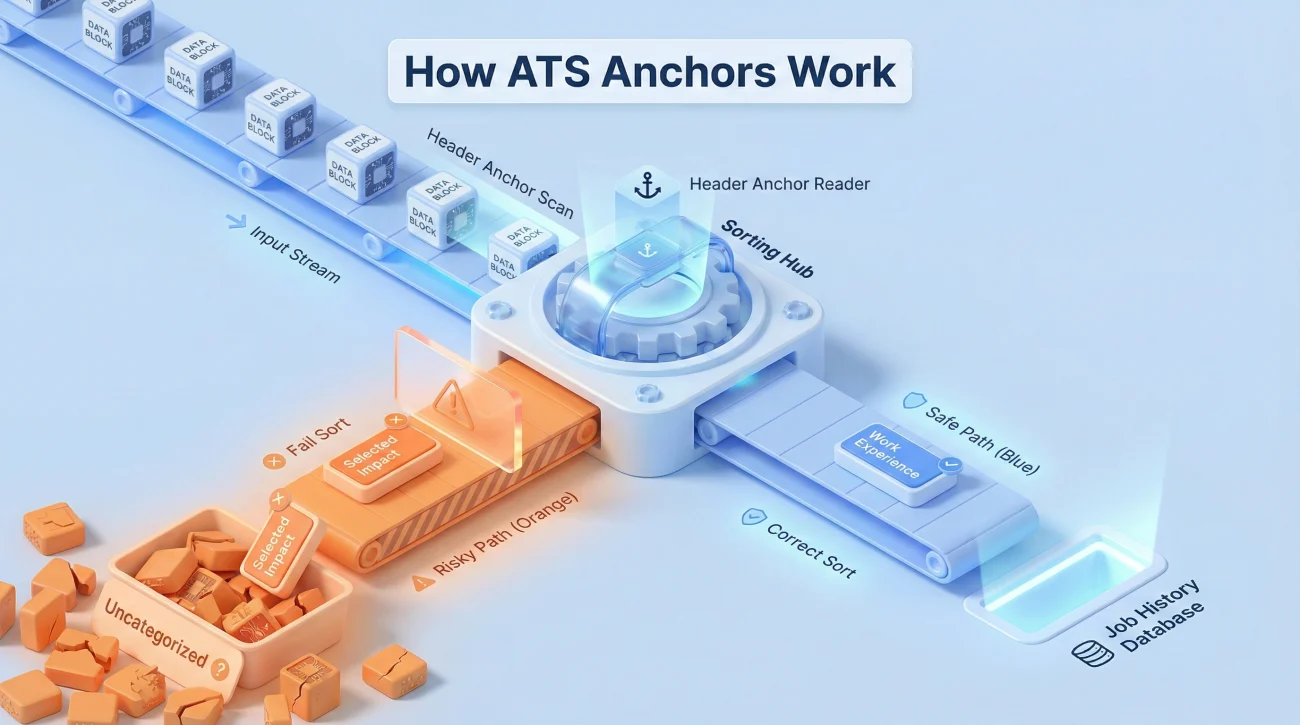
An ATS is not “reading” like a recruiter. It is trying to separate your document into buckets: Summary, Experience, Education, Skills, and sometimes Certifications or Projects.
The system looks for patterns that signal: “A new section starts here.” One of the biggest signals is the section heading itself. If your heading is unfamiliar, the parser may not know where the section begins and ends.
Key Point: A great bullet under the wrong heading can become invisible in search, because the ATS indexed it under the wrong field.
I saw this again with Peter, a product manager switching industries. He titled his experience section “Selected Impact”. It sounded strong to humans. The ATS didn’t map it to “Work Experience”, and his keywords ended up in a generic text block. His resume was fine. His headings weren’t.
What Parsers Usually Recognize Fast
Most systems are safest with common, boring labels. Not because recruiters love boring, but because the parser needs consistency before a human ever sees the document.
ATS resume section headings that match common labels reduce the chance that your content gets merged, re-ordered, or dropped.
Why “Pretty” Headings Create Weird Outcomes
Creative headings often fail for one simple reason: they do not match the ATS’s dictionary of expected section names. Even if the ATS still captures the text, it can store it under the wrong field.
That matters because recruiters filter and search inside fields. If your tools sit outside the “Skills” field, you may not show up for searches even when the word exists on your resume.
Rules for ATS-Safe Headings (Without Killing Your Style)
Rule 1: Use One Meaning Per Heading
A heading should describe a single bucket. “Experience & Projects” looks efficient, but it can cause the parser to treat everything under it as one blended section.
If you truly need both, split them. Let Experience carry the employment timeline, and let Projects carry portfolio proof.
Rule 2: Keep Headings Plain in Format
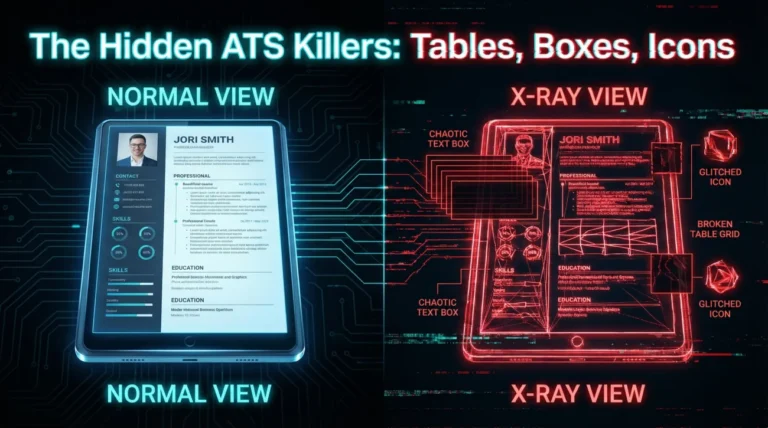
Avoid icons, unusual punctuation, or decorative lines inside the heading itself. Keep the heading as a clean line of text so it becomes an easy anchor point.
ALL CAPS is usually fine, but mixed casing is often more readable to humans. If you choose ALL CAPS, apply it consistently across all headings.
Rule 3: Don’t Rename Headings Just to Sound “Premium”
Some candidates try to sound more executive by using titles like “Professional Portfolio” or “Career Highlights” instead of “Work Experience”. That can work for human-only pipelines, but it adds risk in ATS-heavy funnels.
If your application flow includes a parser preview, assume it’s a heading-sensitive system and stay conservative.
⚠️ Warning: The more “custom” your headings, the more you should assume you must test the parsed output before using that version broadly.
The Safe Heading Set (Plus Controlled Variations)
Below is a practical list I use with candidates when we want predictable parsing. I’m not saying you must include every section. I’m saying: if you include a section, name it like the parser expects.
| Section Purpose | Safest Headings | Usually OK | Risky (Often Mis-parsed) |
|---|---|---|---|
| Top summary | Professional Summary, Summary | Profile, Career Summary | My Story, About Me |
| Main work timeline | Work Experience, Professional Experience, Experience | Employment History | My Journey, Selected Impact |
| Education background | Education | Education & Training | Where I Studied |
| Skills keyword bucket | Skills, Technical Skills | Core Skills | Expertise, Toolkit, Strengths |
| Credentials | Certifications | Licenses & Certifications | Badges |
| Portfolio proof | Projects | Selected Projects | What I Built |
| Extra signals | Volunteer Experience, Awards, Publications | Leadership, Community | Good Stuff, Fun Facts |
| Catch-all | Additional Information | Additional Details | Other |
Notice the pattern: the safest headings are the ones recruiters have seen for decades. That familiarity is exactly why ATS dictionaries tend to include them.
A Specific Note on “Skills” Headings
If you only remember one rule, remember this: “Skills” is the strongest label for parsing. If you want a more polished feel, “Technical Skills” is usually safe too.
When candidates ask me about ATS skills section title options, I tell them: you can be stylish inside the section, but keep the heading boring. Put sub-categories inside (Tools, Platforms, Methods), not in the heading itself.
Heading Swaps: Keep Your Voice, Fix the Parser
This is the deliverable most articles never give you: a direct swap list. If your resume uses any “risky” headings, replace them with something in the safe column.
| If Your Heading Is… | Swap To… | Why It Works |
|---|---|---|
| My Journey | Work Experience | Maps cleanly to the employment bucket |
| Selected Impact | Professional Experience | Keeps the “senior” tone while staying standard |
| What I’ve Done | Experience | Short, common, easy to parse |
| Where I Studied | Education | Education is universally recognized |
| My Toolkit | Skills | Most ATS systems index Skills as a field |
| Expertise | Core Skills | Retains tone but signals “skills” clearly |
| Strengths | Technical Skills | Better for technical roles and keyword search |
| Badges | Certifications | Certifications is the expected label |
| Highlights | Summary | Common “top of resume” bucket |
| Portfolio | Projects | Projects is a common structured section |
| Case Studies | Projects | Keeps content but avoids niche wording |
| Community | Volunteer Experience | Volunteer is a recognized category |
| Leadership | Leadership Experience | Clarifies it is experience, not a trait list |
| Training | Education & Training | Combines safely without breaking parsing |
| Credentials | Certifications | Most ATS dictionaries prefer Certifications |
| More About Me | Additional Information | Cleaner, less personal-sounding label |
One recruiter once told me (after a long day of screening) that fancy headings feel like “extra decoding work” even when the resume is good.
“Your formatting doesn’t need to impress me. Your evidence does. Make it easy for the system to put your evidence in the right place.”
If you want the “premium” feel, put it into your summary sentences, your bullet structure, and your results. Not the heading names.
Edge Cases: When You Can Bend the Rules Safely
Relevant Experience vs Additional Experience
Career changers often want to separate aligned roles from older roles. This can be useful, but only if both headings still contain the word “Experience”.
If you need this split, use:
- Relevant Experience (primary section)
- Additional Experience (secondary section)
This preserves the parser signal while letting humans see your intent.
Contract Work, Freelance, and Consulting
Some ATS systems mishandle a section called “Clients” because it does not map neatly. If you want to show client work, keep the heading as “Experience” and format the role line to show contract status.
This is also where resume heading names ATS choices matter. The heading should anchor the bucket; the role line can add nuance.
Projects That Should Not Replace Experience
If you are early-career or portfolio-based, Projects can be your strongest proof. Still, “Projects” should not swallow your employment history if you have any.
A safe pattern is:
- Work Experience (even if short)
- Projects (where the depth lives)
Two ATS-Friendly Heading Layouts You Can Copy
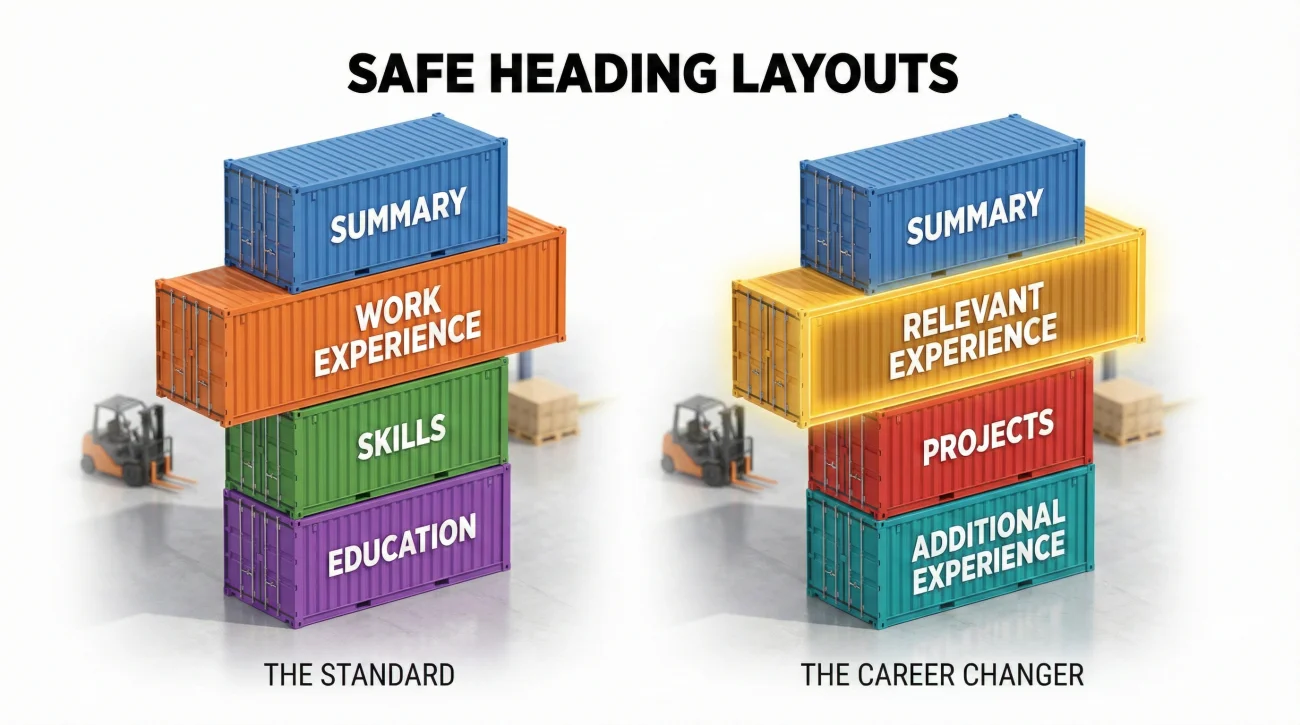
These are intentionally plain. The “signal” is in the labels, not the decoration.
WORK EXPERIENCE
SKILLS
EDUCATION
CERTIFICATIONS
If you are changing careers and want a controlled split, use this variation:
RELEVANT EXPERIENCE
PROJECTS
ADDITIONAL EXPERIENCE
SKILLS
EDUCATION
When candidates ask me for the best resume headings for ATS, I usually start here, then adjust based on the role and the application system’s behavior.
A Quick Sanity Test Before You Apply
Use the “Parsed Preview” If the System Shows It
Many applications let you review the extracted fields. If you see your bullets shoved into a generic box, your headings are a top suspect.
Fix the headings first, then retest. This is faster than rewriting every bullet.
Do a Simple Text Copy Check
Copy your resume into a plain text editor. If headings blur into the content or appear out of order, you may have formatting issues that also affect parsing.
This is not a perfect ATS simulation, but it catches obvious structure problems early.
❌ Note: If your heading relies on visual cues (icons, lines, shapes) to be recognized, assume the ATS may not recognize it at all.
Final
Section headings are not the place to be poetic. They are infrastructure. If the infrastructure fails, your best evidence gets stored in the wrong drawer.
When you keep headings simple, you buy yourself freedom everywhere else: stronger bullets, better keywords, cleaner storytelling, and less “mystery failure” during uploads.
If you want one durable rule in modern hiring systems: treat ATS resume headers like labels that must be understood by both a machine and a tired human recruiter.
❓ FAQ
🎯 Is “Core Competencies” ATS-safe as a heading?
Sometimes, but it is less predictable than “Skills”. If your application flow is ATS-heavy, “Skills” or “Technical Skills” is the safer choice. You can still list competencies inside the section.
🧩 Should I use “Employment History” or “Work Experience”?
Both can work, but “Work Experience” and “Professional Experience” are the most consistently recognized across systems. If you want maximum compatibility, choose one of those.
🛠️ Can I label my experience as “Selected Experience”?
It is safer than “Selected Impact”, because it still contains “Experience”. If you use it, make sure the section still includes a normal job timeline with dates, titles, and employers.
📌 What is the safest work experience heading for ATS?
If you want the lowest risk, use “Work Experience” or “Professional Experience”. That directly answers the parser’s question and helps recruiters scan fast.
This is also the simplest way to satisfy work experience heading ATS concerns without rewriting anything else.
🧠 Are ALL CAPS headings better for ATS?
Not necessarily. ATS systems usually handle either casing, but consistency matters. Choose a style and apply it across the document so headings remain clear anchors.
📄 Should I include a “References” section?
In most cases, no. It uses space and rarely helps parsing or screening. If you want to signal availability, a single line “References available upon request” is still usually unnecessary.
⚠️ Disclaimer: ResumeSolving provides resume, cover letter, job search communication, and career transition guidance for informational purposes only. Hiring practices vary by employer, role, location, industry, and individual circumstances. We do not guarantee interviews, job offers, ATS results, or other outcomes. Verify employer requirements directly and follow applicable laws and workplace policies. For sensitive situations, use only information you are comfortable disclosing and keep all statements accurate.