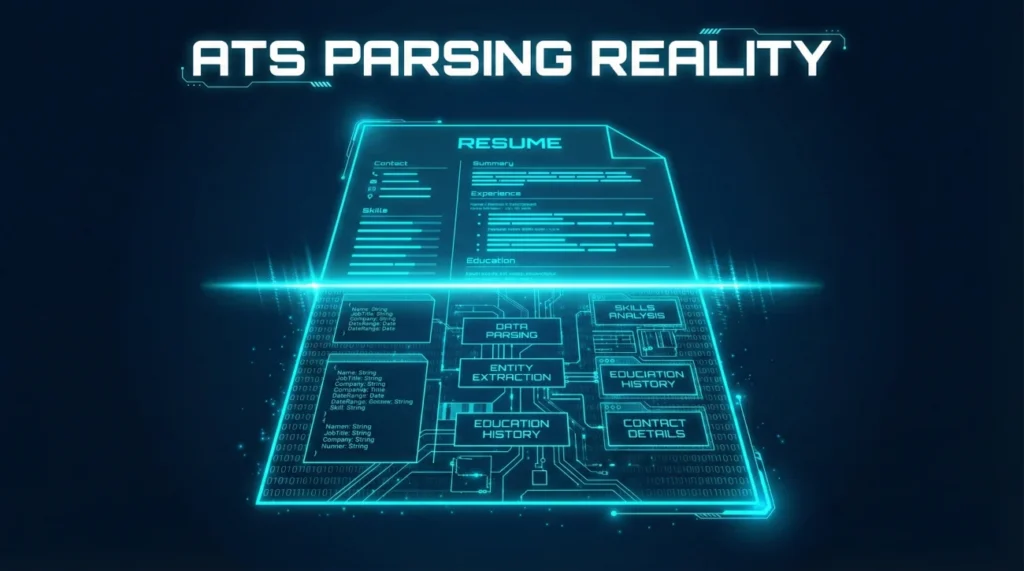
- ATS does not reject resumes. It extracts text into fields. When extraction fails, recruiters see scrambled data and move on.
- The most common parsing failures come from columns, tables, headers, footers, text boxes, and creative section names.
- A clean single-column layout with standard headings passes almost every ATS. Fancy designs often break.
- Test your resume by copying it into plain text. If it reads correctly, ATS can probably parse it.
What ATS Actually Does (And What It Breaks)
Applicant Tracking Systems do not grade your resume or decide if you are qualified. They extract text from your document and organize it into database fields: name, contact info, work history, education, skills. That is it. The “rejection” happens when extraction fails and recruiters see garbled data instead of your carefully crafted experience.
A marketing director named Jackie applied to 47 jobs over three months with zero responses. Her resume looked beautiful: two-column layout, custom icons for skills, creative section headers like “My Journey” and “Superpowers.” When she ran it through a plain text test, the output was unreadable. Her job titles appeared in random order. Her dates were missing. Her skills section had merged with her contact info.
We rebuilt her resume with a single-column layout, standard headers, and simple formatting. Same content. Clean structure. She had five interview requests within two weeks.
Understanding ATS resume format requirements is not about gaming the system. It is about making sure the system can read what you wrote so a human recruiter actually sees your qualifications.
Key Point: ATS extracts text into fields. When your formatting confuses extraction, recruiters see scrambled data and skip to the next candidate.
How ATS Extraction Works
Understanding the extraction process helps you avoid the formatting choices that break it. Here is what typically happens when you submit a resume:
Step 1: File Conversion
The ATS converts your file (PDF, DOCX, or other format) into plain text or an internal format it can process. This is where image-based PDFs, password-protected files, and corrupted documents fail completely.
Step 2: Section Detection
The system looks for section headers to categorize content. It expects headers like “Experience,” “Education,” and “Skills.” Creative headers like “Where I’ve Made Impact” or “My Toolkit” often fail to trigger proper categorization.
Step 3: Field Population
Content gets assigned to database fields: job titles, company names, dates, bullet points. This is where columns cause chaos. The parser reads left to right, top to bottom. Two-column layouts can merge unrelated content or split related content across fields.
Step 4: Recruiter View
Recruiters see the parsed data in their ATS interface, not your original document. If extraction failed, they see fragments, blanks, or jumbled text. Most recruiters will not hunt for your original file to figure out what you meant.
| Your Resume Element | What ATS Tries to Extract | Common Failure Point |
|---|---|---|
| Name and contact | Name, email, phone, location | Headers/footers not read, text boxes ignored |
| Work experience | Title, company, dates, bullets | Columns scramble order, tables break structure |
| Education | Degree, school, graduation date | Non-standard headers missed, dates misread |
| Skills | Skill keywords | Icons and graphics ignored, rating bars invisible |
ATS-Safe Checklist
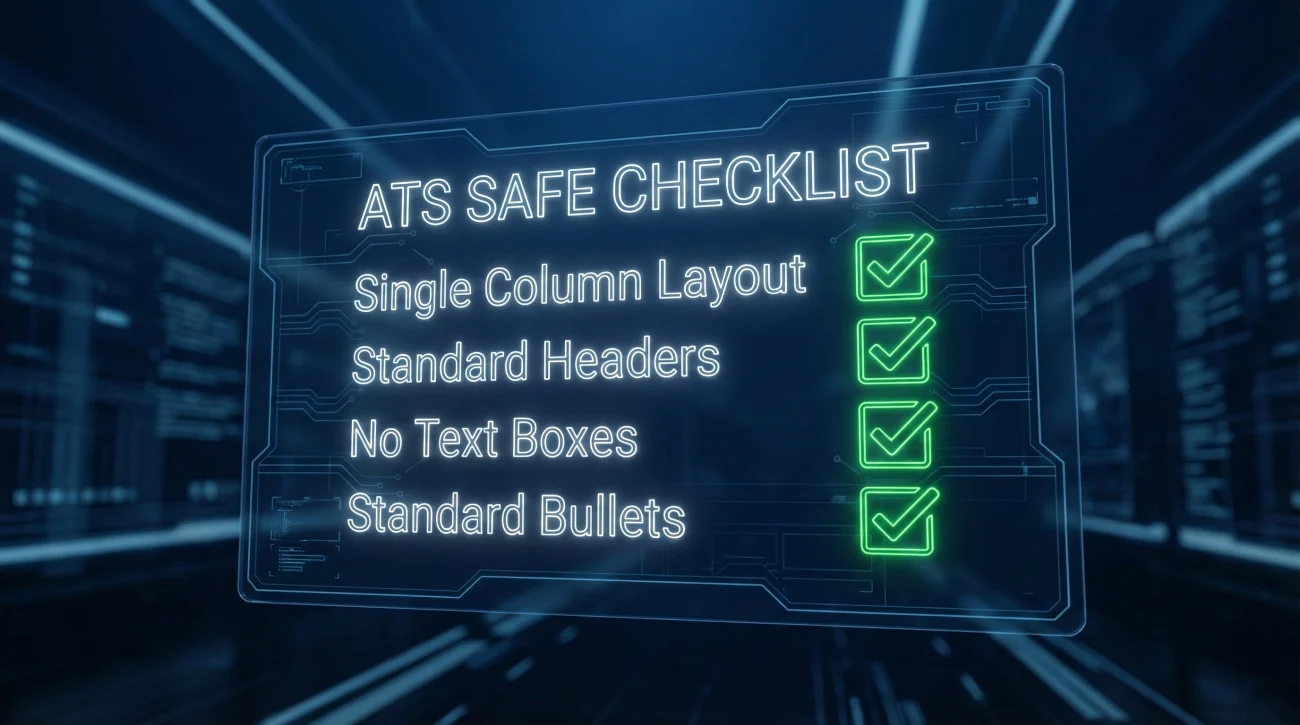
Before submitting any application, verify your resume passes these checks:
Structure Checks
- ✅ Single-column layout (no side-by-side sections)
- ✅ Standard section headings (Experience, Education, Skills)
- ✅ No tables for layout purposes
- ✅ No text boxes or floating elements
- ✅ No headers or footers containing critical information
- ✅ Contact info in main document body, not header
Formatting Checks
- ✅ Simple bullet points (•, -, or standard list markers)
- ✅ Standard fonts (Arial, Calibri, Times New Roman, Georgia)
- ✅ Consistent date format throughout (Month Year or MM/YYYY)
- ✅ No graphics, icons, or images
- ✅ No skill rating bars or percentage indicators
- ✅ No colored backgrounds or text boxes
File Checks
- ✅ File type matches what portal requests (usually PDF or DOCX)
- ✅ File is not password protected
- ✅ File is not image-only PDF (must be text-selectable)
- ✅ File name is simple (FirstName_LastName_Resume.pdf)
💡 Pro Tip: The simplest test is copying your entire resume and pasting it into a plain text editor like Notepad. If it reads correctly in order, ATS can probably parse it.
Four Mini Fixes That Solve Most Problems
These four changes resolve the majority of ATS parsing failures. Start here before making other adjustments.
Fix 1: Collapse Columns Into Single Flow
Two-column layouts are the most common cause of ATS failures. The parser reads left to right across both columns, merging unrelated content.
❌ Problem: Skills sidebar next to experience section. Parser reads “Python” then “Marketing Manager” then “SQL” then “Led campaign…”
✅ Fix: Move skills to a dedicated section at top or bottom. Stack everything in one column.
Fix 2: Replace Creative Headers With Standard Ones
ATS looks for expected section names. Creative alternatives often fail categorization.
| Creative Header (Risky) | Standard Header (Safe) |
|---|---|
| Where I’ve Made Impact | Experience |
| My Journey | Work History |
| Superpowers | Skills |
| Learning Path | Education |
| What I Bring | Summary or Qualifications |
| Toolkit | Technical Skills |
Fix 3: Move Contact Info Out of Header
Many ATS systems cannot read document headers and footers. If your name and email are in the header, the system may not capture them at all.
❌ Problem: Name and contact info in document header. ATS sees blank contact fields.
✅ Fix: Place name and contact information at the top of the main document body.
Fix 4: Replace Graphics With Text
Icons, skill bars, star ratings, and graphics are invisible to ATS. They add zero information to the parsed output.
❌ Problem: Skill bars showing “Python ████████░░” ATS sees nothing.
✅ Fix: Simple text list: “Python, SQL, Tableau, Excel” or include skills contextually in bullets.
PDF vs Word: Which to Submit
This is one of the most common ATS questions. The answer depends on context:
When to Use Word (DOCX)
- The application portal specifically requests DOCX
- You are applying to older enterprise systems
- Your PDF was created from an image or scan
- You have experienced parsing issues with your PDF
When PDF Is Fine
- Your PDF is text-based (you can select and copy text)
- The portal accepts PDF without warning against it
- Your formatting is simple and single-column
- You have tested it with copy-paste and it reads correctly
File Types to Avoid
- ❌ Image-only PDFs (scanned documents)
- ❌ Pages files (Apple)
- ❌ Google Docs links (some systems cannot access)
- ❌ Old Word formats (.doc instead of .docx)
- ❌ Password-protected files
⚠️ Warning: If you designed your resume in Canva, Photoshop, or similar tools and exported to PDF, it may be image-based even if it looks like text. Test by trying to select and copy text from the PDF.
Keywords: Match Without Stuffing
Some job seekers stuff resumes with keywords in white text or hidden sections. This is a bad idea. Modern ATS can detect hidden text, and even if it works technically, recruiters will see the stuffed content when they view your resume.
How to Match Keywords Honestly
- Mirror job post language: If the posting says “project management,” use “project management” not just “PM”
- Include full terms and acronyms: Write “Search Engine Optimization (SEO)” the first time, then use either
- Use keywords in context: “Led SEO strategy that increased organic traffic 34%” beats “SEO” in a skills list
- Match tool names exactly: “Salesforce” not “CRM software” if the job requires Salesforce specifically
What Counts as Keyword Stuffing
- ❌ White text with keywords invisible to readers
- ❌ Repeating the same keyword 10+ times
- ❌ Copying the entire job description into your resume
- ❌ Skills lists with 50+ items
- ❌ Keywords that do not match your actual experience
How to Test Your Resume for ATS
You do not need paid tools to test ATS compatibility. These free methods work:
The Copy-Paste Test
- Open your resume file
- Select all (Ctrl+A or Cmd+A)
- Copy (Ctrl+C or Cmd+C)
- Paste into plain text editor (Notepad, TextEdit in plain text mode)
- Read through the result
If the text flows correctly in order with clear section breaks, your resume will probably parse well. If it is scrambled, jumbled, or missing sections, fix your formatting.
The Section Detection Test
Check that each section heading is clearly separated and recognizable. In the plain text output, you should see:
- Clear heading labels (EXPERIENCE, EDUCATION, SKILLS)
- Content grouped under correct headings
- Dates appearing next to relevant job entries
- Bullets or line breaks between items
The Portal Preview Test
Many application portals show a preview of parsed data before you submit. Review this carefully. If fields are blank, misaligned, or contain wrong information, your resume needs formatting fixes.
Design vs Parsing: Finding the Balance
ATS-friendly does not mean ugly. You can have a professional-looking resume that parses correctly. The key is understanding which design elements cause problems and which are safe.
Design Elements That Are Safe
- Bold and italic text: These format correctly in most systems
- Horizontal lines: Simple dividers between sections usually parse fine
- Reasonable font sizes: 10-12pt body text, 14-16pt headers
- White space: Clean margins and spacing improve readability for humans and do not affect parsing
- Subtle color: Dark blue or gray for headers is generally safe
- Standard bullets: Round bullets (•) or hyphens work universally
Design Elements That Cause Problems
- Multiple columns: High risk of scrambled content order
- Sidebar layouts: Often merge with main content incorrectly
- Graphics and icons: Completely invisible to parsers
- Text boxes: Frequently ignored or extracted out of order
- Background colors: Can cause text to disappear in some conversions
- Unusual fonts: May not render correctly, causing character issues
A UX designer named Dan wanted his resume to showcase his design skills. His original two-column layout with custom icons looked impressive but failed every ATS test. We redesigned it with a single column, clean typography, and strategic use of white space. It still looked professional and modern while parsing perfectly.
💡 Pro Tip: If you work in a creative field and want a designed resume, keep two versions: an ATS-friendly version for online applications and a designed version for portfolio sites, direct emails, and interviews.
ATS Myths That Waste Your Time
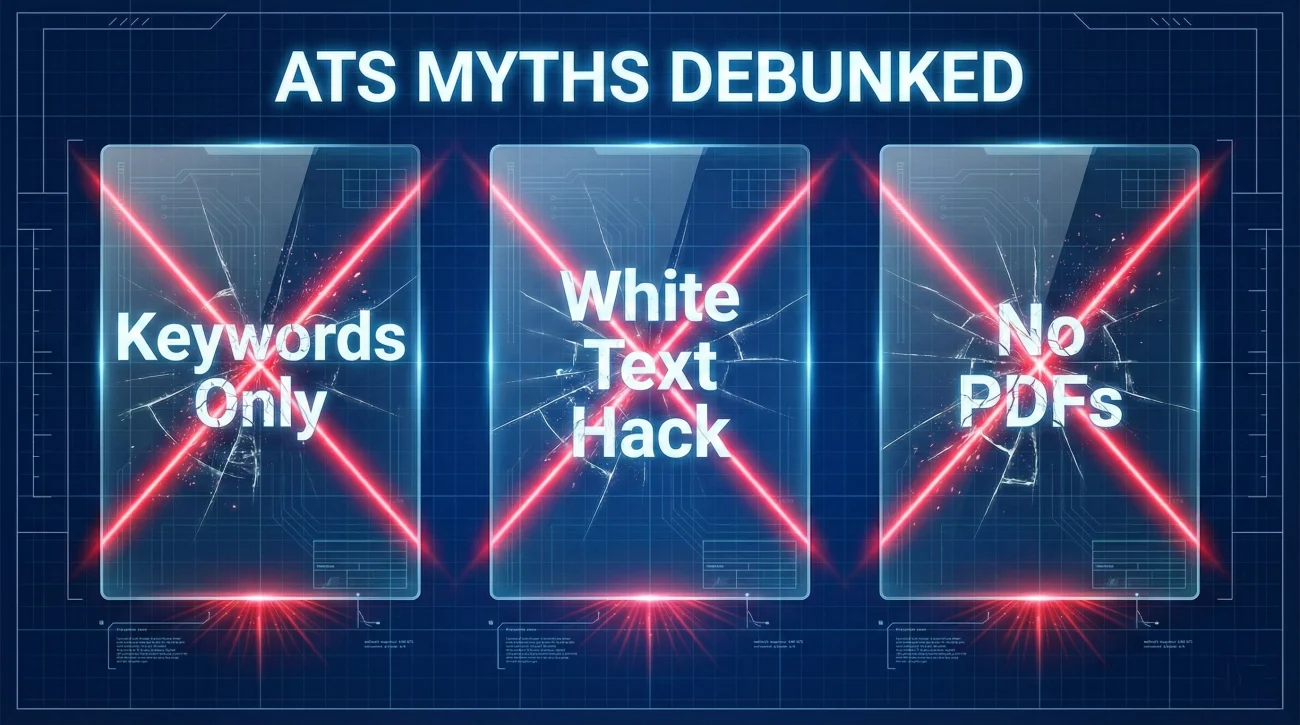
Misinformation about ATS is rampant. These common beliefs are either false or exaggerated:
Myth: ATS Rejects Resumes Based on Keywords
👉 ATS does not make hiring decisions. It parses and organizes data. Some systems calculate match scores, but humans review the results and make decisions. A low keyword score does not automatically reject you.
Myth: You Need to Beat the ATS Algorithm
👉 There is no single “ATS algorithm” to beat. Different companies use different systems (Workday, Greenhouse, Lever, Taleo, iCIMS, and dozens more), each with different parsing methods. Focus on clean formatting that works universally rather than trying to optimize for specific systems.
Myth: White Text Keywords Work
👉 This technique is outdated and risky. Many modern systems detect hidden text, and recruiters often see it when they open the actual file. It can get you immediately disqualified for attempting to game the system.
Myth: PDFs Do Not Work With ATS
👉 Text-based PDFs work fine with most modern ATS. The problem is image-based PDFs (scanned documents or graphics exported as PDF) where there is no actual text to extract. If you can select and copy text from your PDF, it will probably parse correctly.
Myth: You Need Exact Keyword Matches
👉 Modern ATS and recruiters understand variations. “Project management,” “project manager,” and “PM” are recognized as related. Exact matching matters less than having relevant experience described naturally.
Myth: ATS Cannot Read Bullet Points
👉 Standard bullet points parse fine. The issues arise with unusual symbols, decorative bullets, or bullets created as images rather than text characters.
Common ATS Mistakes
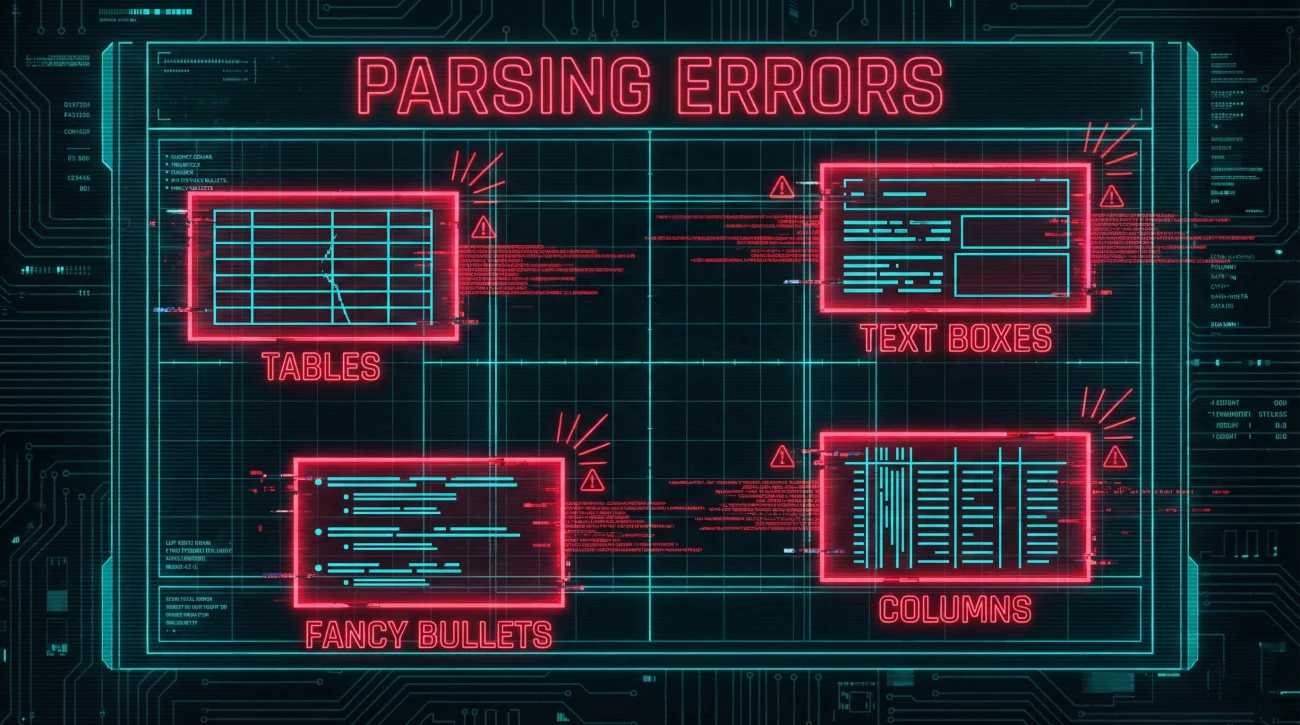
These errors cause the most parsing failures. Avoid them completely:
- Tables for Layout: Tables seem like a clean way to organize information, but ATS often reads cells in unexpected order or ignores cell boundaries entirely.
- Text Boxes and Shapes: Floating text boxes and shapes are frequently ignored by parsers. Content inside them may not appear in the extracted output at all.
- Fancy Bullet Symbols: Decorative bullets (★, ➤, ✓) sometimes convert to garbled characters or disappear. Stick with standard bullets (•) or hyphens (-).
- Inconsistent Date Formats: Mixing “Jan 2023” with “2023-01” with “January 2023” confuses date parsing. Pick one format and use it throughout.
- Missing Section Headers: If your resume flows without clear section labels, the parser cannot categorize your content. Always use explicit headers even if they seem obvious.
- Embedded Fonts: Custom or unusual fonts may not render correctly. Stick with standard system fonts that every computer can display.
Choose Your Next Step
This hub covered the ATS parsing framework and the most important formatting decisions. The clusters below go deep on specific formatting questions and edge cases. If you need the core layout rules with visual examples, start with the ATS-friendly format guide. If you have a specific question like whether to use columns or which file type to submit, jump directly to that cluster for detailed guidance.
| Article | Description |
|---|---|
| ATS-Friendly Resume Format: The Clean Layout That Rarely Breaks | Core layout rules with 6 examples and comprehensive do-not-do list |
| PDF or Word for ATS: What to Upload and When | File type decision guide with scenarios and common pitfalls |
| ATS Resume Headings: Section Names That Parse Cleanly | Heading naming rules with safe list and replacement table |
| Two-Column Resumes and ATS: When It Breaks and Safer Alternatives | Column risk explanation with design alternatives that preserve visual appeal |
| Tables, Text Boxes, and Icons: The Stuff That Disappears in ATS | Element-level parsing failures with safe substitutes for each |
| Special Characters in ATS: Bullets, Symbols, and Weird Spacing | Safe symbol list with fixes for common character problems |
| ATS Keywords: How to Match the Job Post Without Stuffing | Honest keyword matching strategy with 10 mirror points |
| How to Test if Your Resume Is ATS-Friendly Without Paid Tools | Self-test methods including copy-paste test and portal preview check |
| ATS Resume Mistakes: 18 Formatting Errors That Kill Parsing | Comprehensive error list with fixes and self-check before submitting |
Making ATS Work for You
The ATS resume format challenge is not about beating an algorithm or gaming a system. It is about ensuring your qualifications actually reach human eyes in readable form. When your resume parses correctly, recruiters see exactly what you wrote. When it fails, they see fragments, garbled text, and blank fields, then move on to the next candidate.
Keep your layout simple. Use standard headings. Avoid tables, columns, and graphics. Test with copy-paste before submitting. These basic practices solve the vast majority of ATS issues without sacrificing the substance of your resume.
The goal is not a perfectly optimized document that games the system. The goal is a clean, readable resume that survives the extraction process intact so your actual qualifications can do the talking. Start with structure, verify with testing, and let your experience speak for itself.
❓ FAQ
🎯 Do all companies use ATS?
Most medium and large companies use some form of ATS. Small companies and startups may not. However, since you often cannot tell which system a company uses, formatting for ATS compatibility is the safest default approach.
📝 Will ATS reject me for not having enough keywords?
ATS does not reject candidates. It parses and organizes data. Some systems score keyword matches, but a human recruiter makes the actual decision. Focus on honest keyword matching rather than gaming scores.
💼 Can I use a designed resume for some applications and a plain one for others?
Yes. Many candidates maintain two versions: a clean ATS-friendly version for online applications and a more designed version for direct emails, networking, or interviews. Just ensure the content is identical.
🔍 Do LinkedIn Easy Apply applications go through ATS?
LinkedIn pulls data from your profile for Easy Apply, which then may feed into the company’s ATS. If you upload a resume with Easy Apply, it goes through the same parsing process as any other submission.
⚠️ Is it worth paying for ATS scanning tools?
Usually not necessary. The free copy-paste test catches most formatting issues. Paid tools can be helpful if you want detailed feedback, but they are not required for basic ATS compatibility.
⚠️ Disclaimer: ResumeSolving provides resume, cover letter, and job search communication guidance for informational purposes only. It is not legal, medical, financial, or professional counseling advice. Hiring decisions vary by company, role, location, and individual circumstances, so we do not guarantee interviews, offers, or outcomes. Always use your own judgment, verify requirements directly with the employer, and follow local laws and workplace policies. When a situation is sensitive, we prioritize privacy-safe, recruiter-appropriate wording, and you never need to share personal details you are not comfortable disclosing.